
FAQ#
Equipment
The time recorded/sent by my control unit is incorrect. What could be causing this?
After a long period without a power supply (battery or mains), the Gravity RTC module discharges and no longer displays the correct time. To resolve this issue, you should update the date and time via the Wi-Fi interface. If the problem persists, the module will need to be replaced.
When I was drilling holes in my case, I made a mistake – is there any way to fix it?
You can pour resin into the drilled hole. To do this, place some tape over one side of the hole. Then position the hole horizontally. Pour in the resin and wait for the specified time. You can also do this if, for example, you wish to reuse the housing for a different type of sensor.
Installation
My enclosure is located in a particularly damp area; how can I prevent condensation from forming inside it?
You will need to purchase a desiccant (silica gel sachet) to absorb moisture. Please note that this desiccant must be replaced regularly. To reuse a used sachet, you can place the used desiccant sachet in an oven at 50°C overnight.
Software
The firmware on the MKR WIFI 1010 board is out of date. How do I update it?
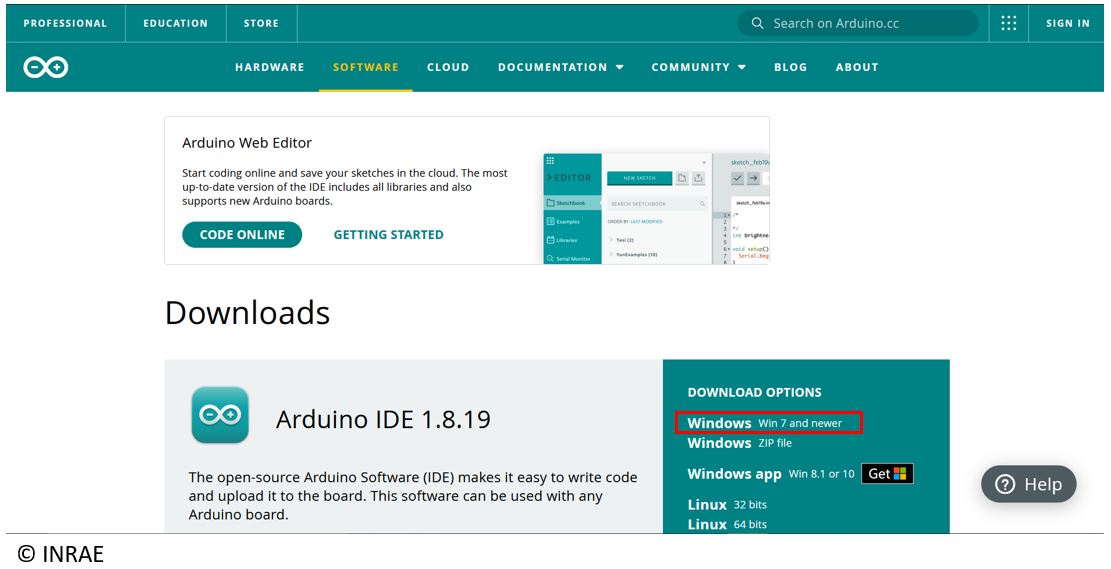
If the firmware on your MKR WIFI 1010 board is not version 3.0.0, you can update it directly via the Arduino IDE. To do this, follow these steps:
Connect your MKR WIFI 1010 board.
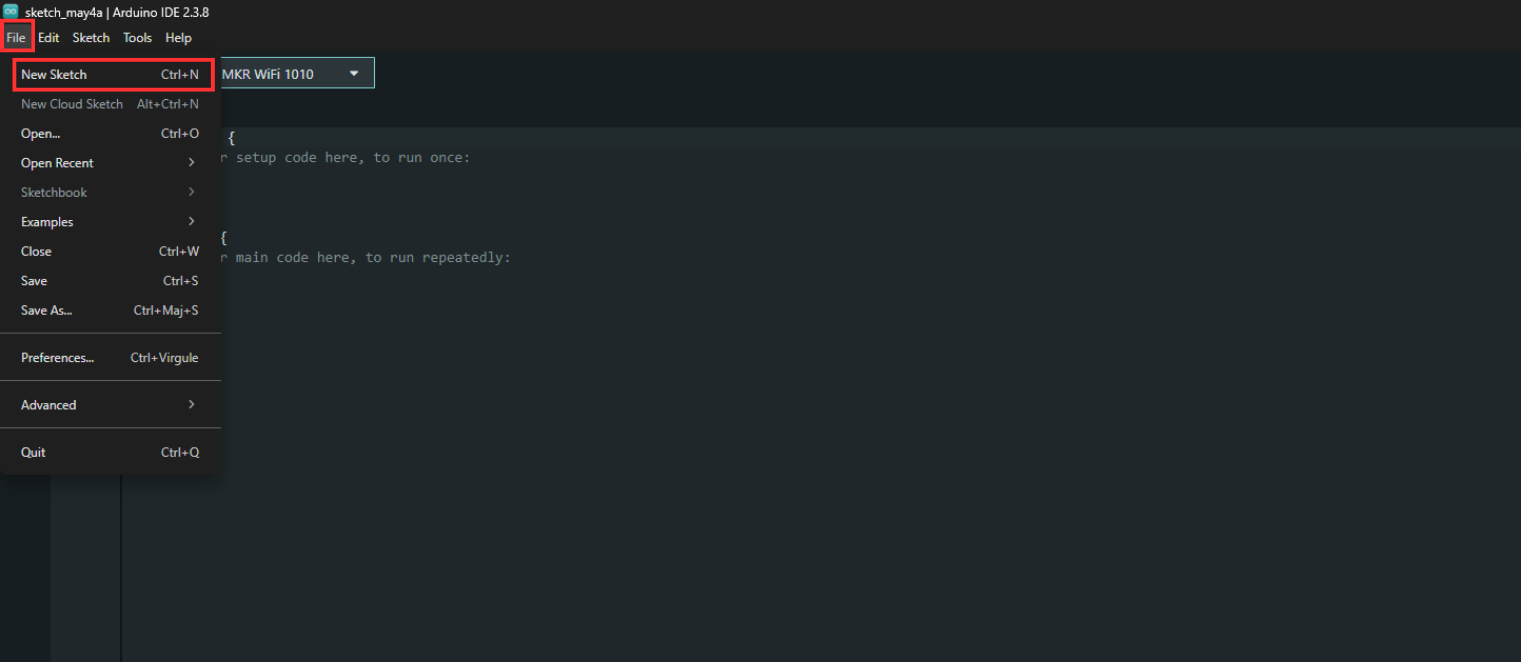
Open the Sphinx IDE, then click on File, New Sketch. A new blank program will open.
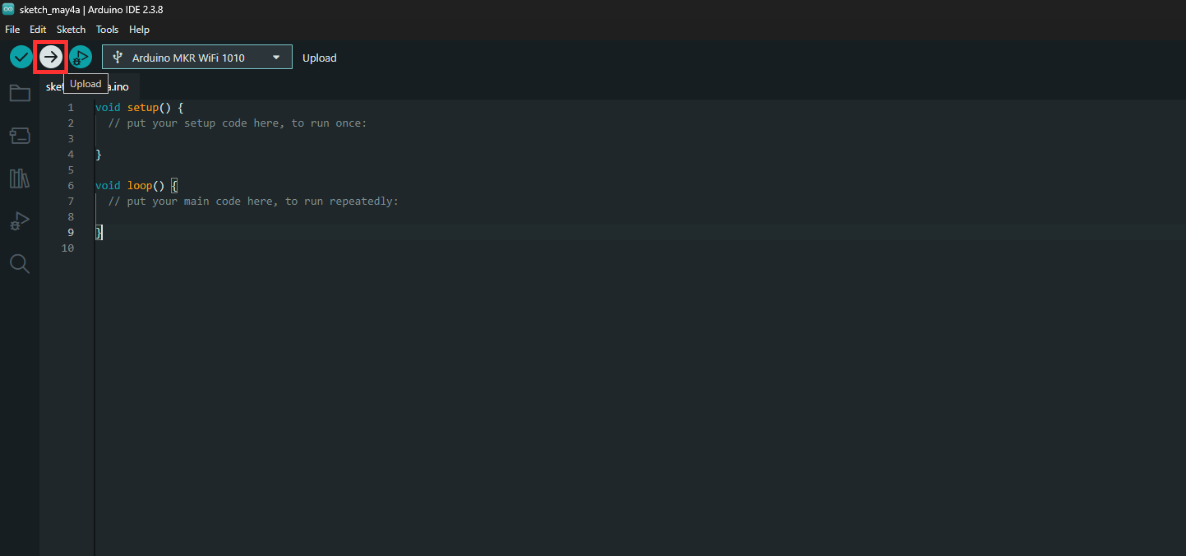
Upload this program to your data logger by clicking upload.
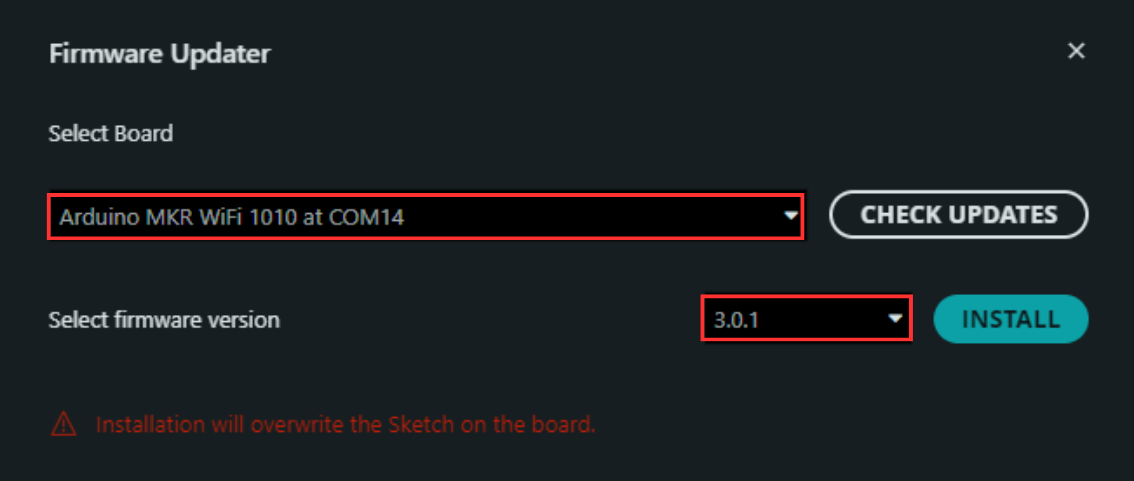
Then open Tools, then Firmware Update.
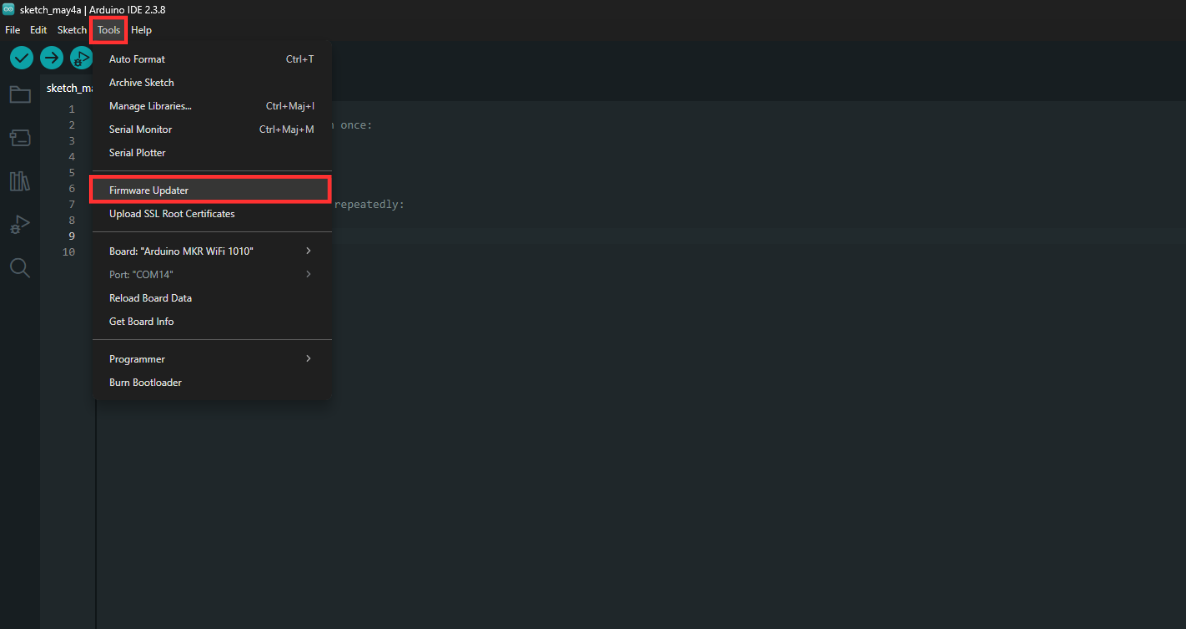
Select the MKR WIFI 1010 board connected to your PC, then select the firmware to install on your board (version 3.0.1), and click Upload. After a few minutes, you will receive confirmation that the firmware has been updated via this same interface.