

Flowmeter#
Mounting information
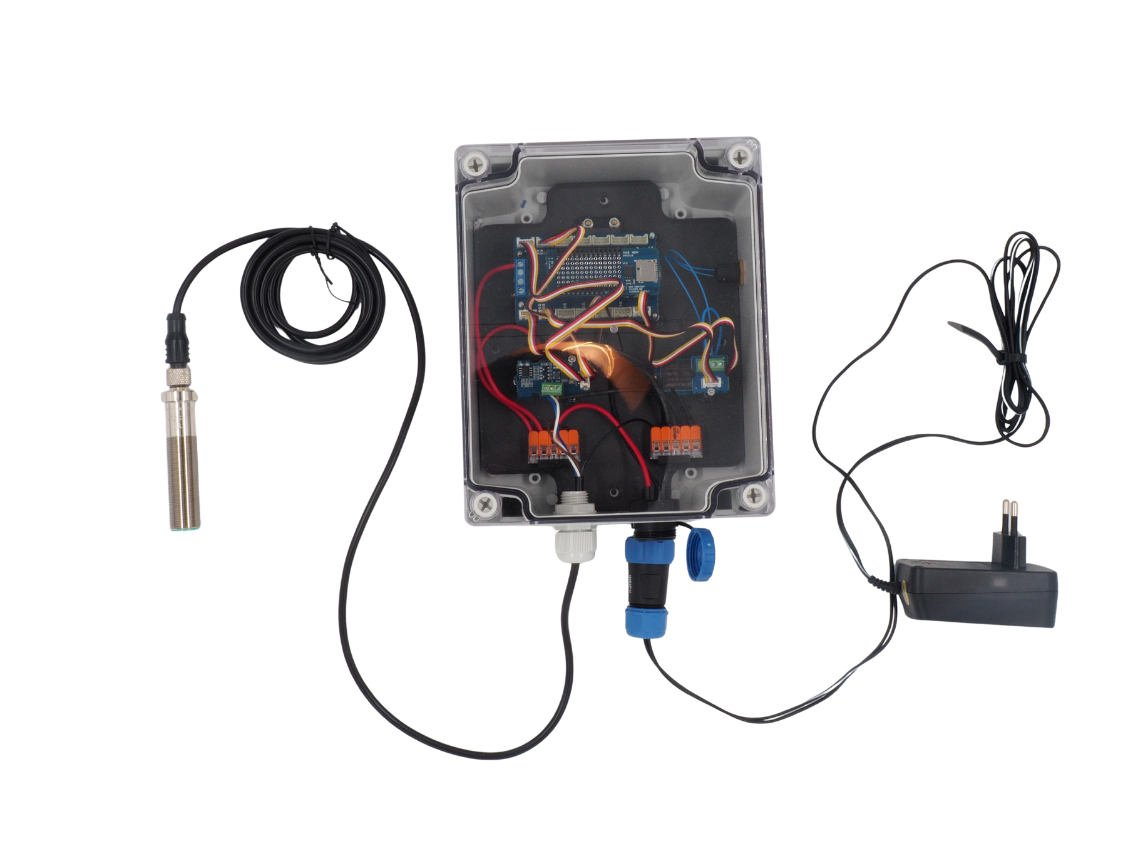
Nous vous invitons à vous réferer à ce document pour assembler la centrale SETIER Débit. Le coût du matériel nécessaire au montage est, au 09/02/2026, de 358,71 Euros (pour une centrale avec 1 Capteurs). Le temps nécessaire au montage et à la programmation de cette centrale est de 3 heures. Pour cet assemblage, il est conseillé de vous placer dans une salle éclairé et calme, certaines étapes pouvant-être minutieuse. Assurez d’avoir l’ensemble du matériel et des outils nécessaires avant de débuter l’assemblage. Les listes d’outils et de matériels sont fourni dans la suite de la présente documentation.
Information
SETIER is an open collaborative project. However, assembling the associated :term`Centrale Setier` units requires adherence to safety rules for electronic board usage. :term`Centrale Setier` units must be assembled in a professional environment by individuals with electronics knowledge. The SETIER team cannot in any case be liable for any material or human damage that may arise during assembly or use of a Centrale Setier. Furthermore, the SETIER team cannot be held responsible if the :term`Centrale Setier` fails after assembly.
You may redistribute and modify this documentation and create products using it under the terms of the CERN‑OHL‑P v2 (https://cern.ch/cern-ohl). This documentation is distributed WITHOUT ANY EXPRESS OR IMPLIED WARRANTY, INCLUDING MERCHANTABILITY, SATISFACTORY QUALITY AND FITNESS FOR A PARTICULAR PURPOSE. Please see the CERN‑OHL‑P v2 for applicable conditions.
Technical Data#
Data representing the various parameters associated with flowmeter unit usage.
Parameters |
Specifications |
Units |
Input voltage (VCC) |
7 – 15 |
V |
Measurement interval |
100 – 1500 |
mm |
Measurement precision |
1 |
mm |
Resolution |
0.1 |
mm |
Error percentage |
±0.1 |
% |
Resolution (°C) |
0.1 |
° |
Temperature error |
±1 |
° |
Operating temperature |
-20 – 80 |
° |
Sampling frequency |
30 |
Hz |
Ultrasonic emission cone |
12 ±2 |
° |
Sensor sealing |
IP65 |
|
Communication interface |
:term`RS485` |
|
Data storage |
microSD card |
Required equipment and tools#
To assemble the SETIER flowmeter unit, the required equipment is as follows:
Bill of materials:
Component |
Number |
Cost per unit (€) |
Total cost (€) |
Manufacturer |
Manufacturer reference |
Web reference |
|---|---|---|---|---|---|---|
Arduino MKR Wifi 1010 |
1 |
33.61 |
33.61 |
Arduino |
782-ABX00023 |
https://www.mouser.fr/ProductDetail/Arduino/ABX00023?qs=%252BEew9%252B0nqrAwxv2YQYWyPw%3D%3D |
Arduino MEM Shield |
1 |
19.55 |
19.55 |
Arduino |
782-ASX00008 |
https://www.mouser.fr/ProductDetail/Arduino/ASX00008?qs=%252BEew9%252B0nqrB6JgKBlp7dtg%3D%3D |
Arduino MKR Connector Carrier |
1 |
19.4 |
19.4 |
Arduino |
782-ASX00007 |
https://www.mouser.fr/ProductDetail/Arduino/ASX00007?qs=%252BEew9%252B0nqrD3EEw%252BoCBXVA%3D%3D |
Grove RS 485 |
1 |
4.69 |
4.69 |
Seeed-Studio |
713-103020193 |
https://www.mouser.fr/ProductDetail/Seeed-Studio/103020193?qs=vLWxofP3U2x0rKlJJj8lVg%3D%3D |
Gravity RTC |
1 |
7.4 |
7.4 |
DFRobot |
426-DFR0469 |
https://www.mouser.fr/ProductDetail/DFRobot/DFR0469?qs=EU6FO9ffTwe22wh0PfInCA%3D%3D |
Grove Voltage divider |
1 |
5.55 |
5.55 |
Seeed-Studio |
104020000 |
https://fr.farnell.com/seeed-studio/104020000/voltage-divider-board-arduino/dp/4007781?ost=104020000 |
Spacer M2x2cm |
1 |
0.808 |
8.89 |
Wurth-Elektronik |
710-971200244 |
https://www.mouser.fr/ProductDetail/Wurth-Elektronik/971200244?qs=wr8lucFkNMW86Ww6MhRnZQ%3D%3D |
Nut M2 |
5 |
7.41 |
7.41 |
Wurth-Elektronik |
560-271 |
|
Screw M2x8mm |
6 |
4.48 |
4.48 |
RS-PRO |
908-7637 |
|
Spacer M3x2cm |
6 |
1.08 |
6.48 |
Wurth-Elektronik |
710-971200354 |
https://www.mouser.fr/ProductDetail/Wurth-Elektronik/971200354?qs=wr8lucFkNMXVQ0nS%2FAg5sw%3D%3D |
Screw M3x8mm |
6 |
4.28 |
4.28 |
RS-PRO |
908-7661 |
|
Nut M3 |
6 |
8.18 |
8.18 |
Wurth-Elektronik |
560-293 |
|
Box Polycarbonate 344x289x117mm IP65 |
1 |
40.36 |
40.36 |
RS-PRO |
197-2014 |
|
Pushbutton |
1 |
8.5 |
8.5 |
ITW Switches |
265-0635 |
|
Grove Screw Terminal |
1 |
1.9 |
1.9 |
Seeed-Studio |
713-103020007 |
https://www.mouser.fr/ProductDetail/Seeed-Studio/103020007?qs=1%252B9yuXKSi8B56dS97ffOlA%3D%3D |
SEN0358 Sensor |
1 |
85.14 |
85.14 |
DFRobot |
426-SEN0358 |
https://www.mouser.fr/ProductDetail/DFRobot/SEN0358?qs=IS%252B4QmGtzzpqTBuEwj0fFQ%3D%3D |
Female panel connector IP68 21mm 2 contacts |
1 |
19.3 |
19.3 |
RS-PRO |
124-6674 |
https://fr.rs-online.com/web/p/connecteurs-circulaires-industriels/1246674?gb=a |
Male cable connector IP68 21mm 2 contacts |
1 |
21.89 |
21.89 |
RS-PRO |
124-6683 |
|
AC/DC 3V Adaptator |
1 |
12.75 |
12.75 |
RS-PRO |
206-4908 |
|
WAGO 221 5 levers |
2 |
9.57 |
9.57 |
WAGO |
221-415 |
|
PVC panel |
1 |
1 |
3D Print |
|||
Cable gland |
1 |
15.1 |
15.1 |
RS-PRO |
822-9653 |
|
microSD card |
1 |
12.09 |
12.09 |
SanDisk |
467-SDSDQAB-016G |
https://www.mouser.fr/ProductDetail/SanDisk/SDSDQAB-016G?qs=EgF7oUuTQmp8cNxoHCNycQ%3D%3D |
USB µUSB connector |
1 |
2.19 |
2.19 |
Qualtek |
562-3025033-01 |
https://www.mouser.fr/ProductDetail/Qualtek/3025033-01?qs=1mbolxNpo8c5JqM9YiGl1Q%3D%3D |
Pressure compensation |
1 |
18.50 |
18.5 |
Schneider Electric |
177-8973 |
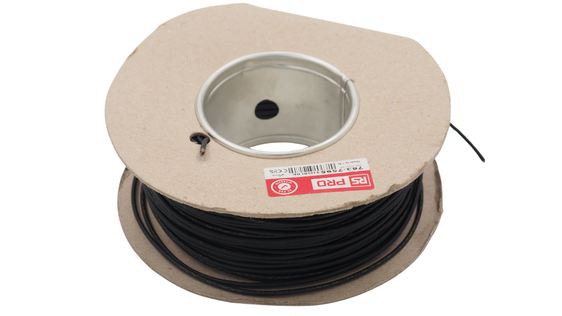
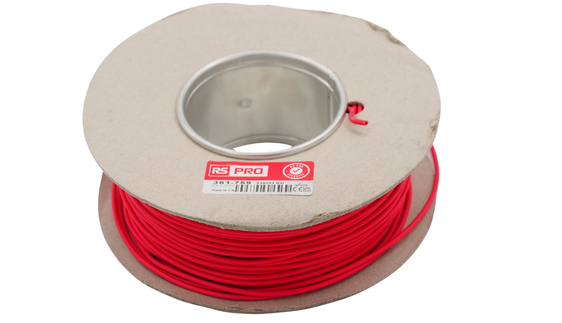
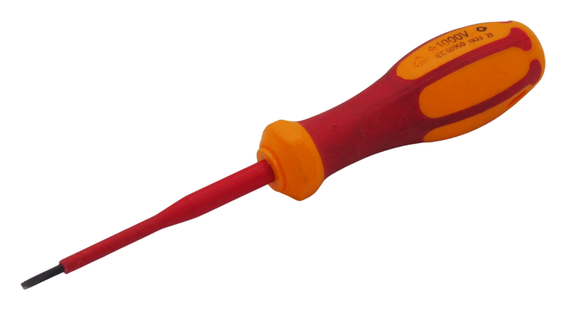
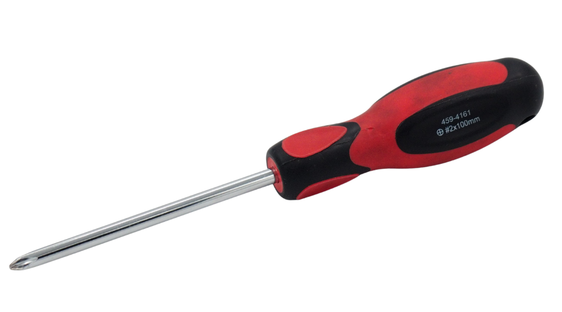
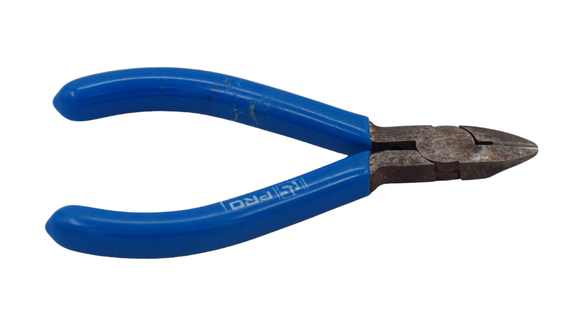
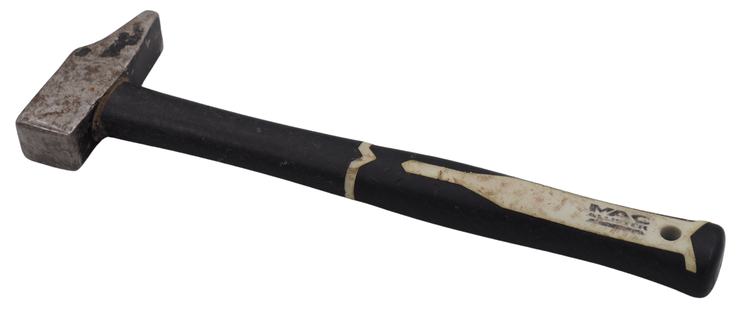
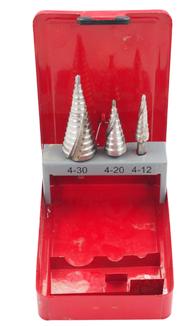
It will also be useful to have these tools:
|
|


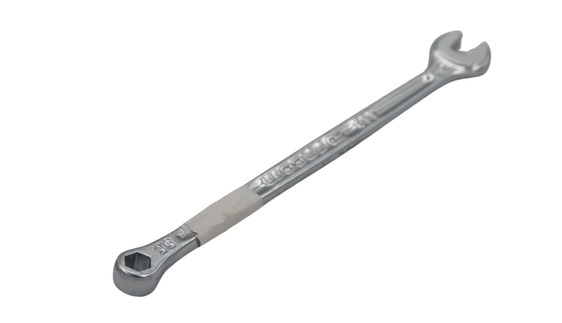
Step 1: Electronic section assembly#
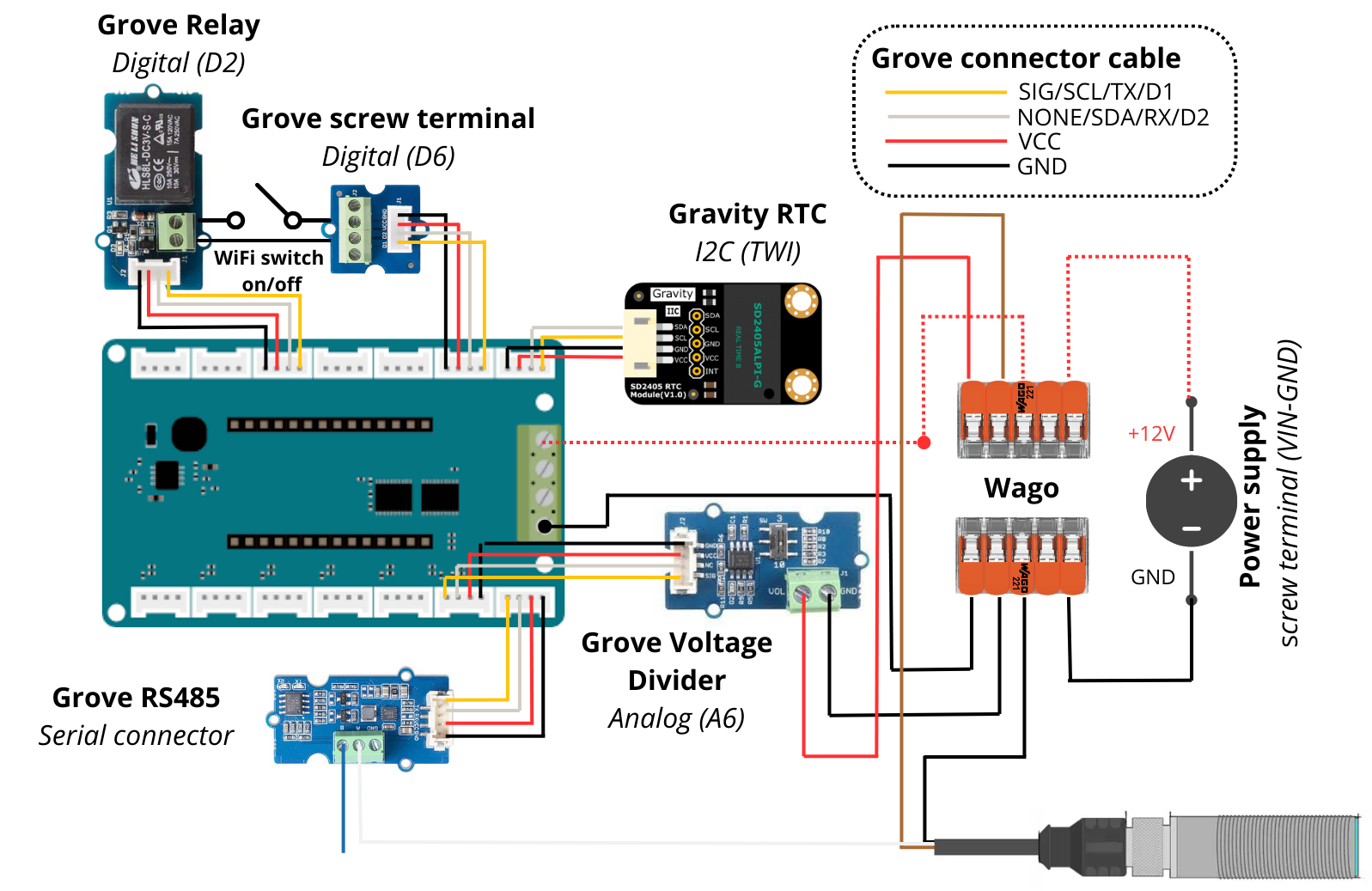
The first part consists of assembling the various electronic boards of the datalogger to obtain the wiring shown below.
Electronic schematic#
1. Assembly of Arduino MKR boards#
These boards control the datalogger’s components (sensor, button…) and record associated data (measurement, timestamp).
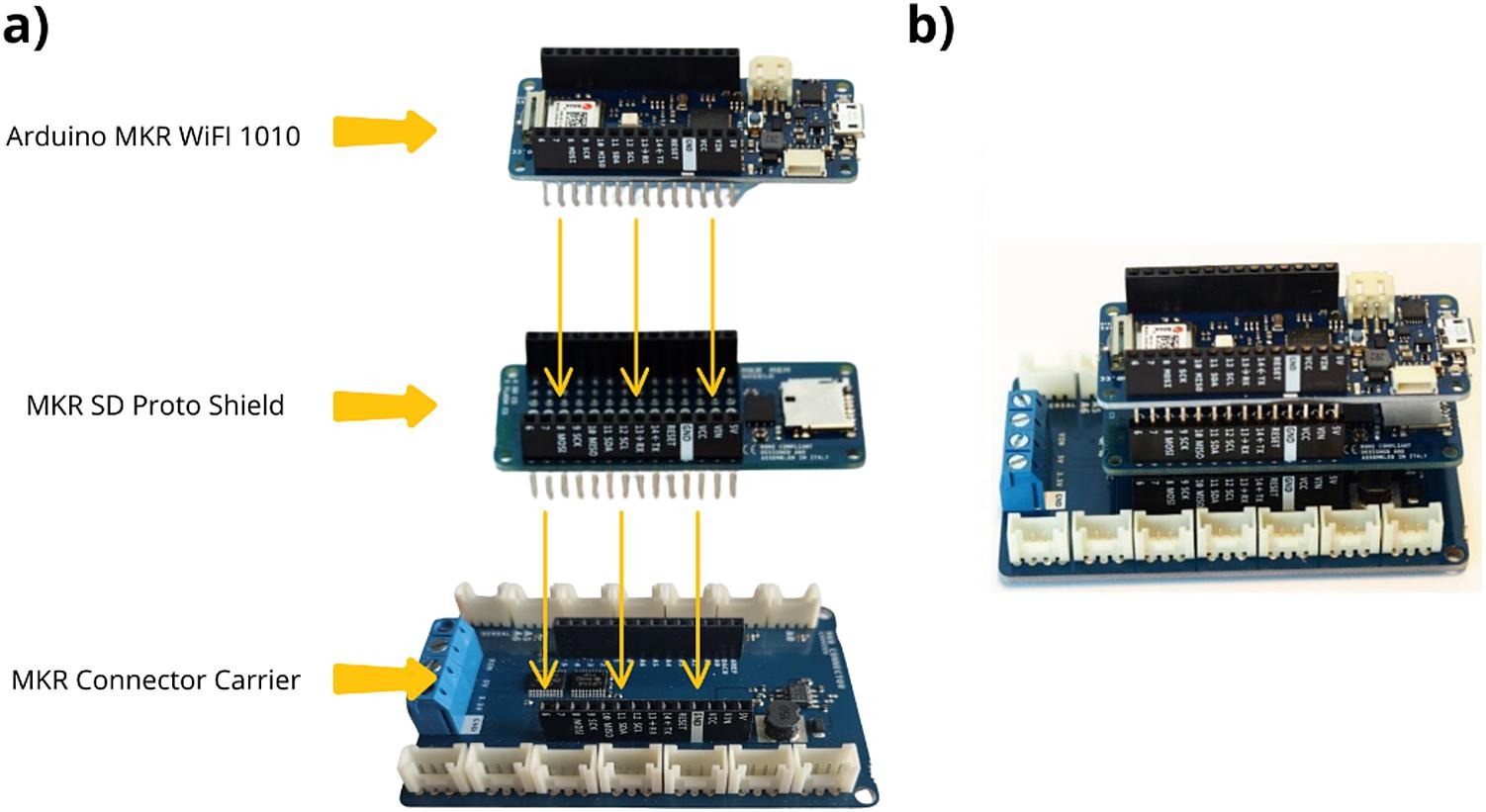
Insert the MKR MEM Shield onto the MKR Connector Carrier, then place the MKR WIFI 1010 onto the MKR MEM Shield.
The resulting configuration is shown below.
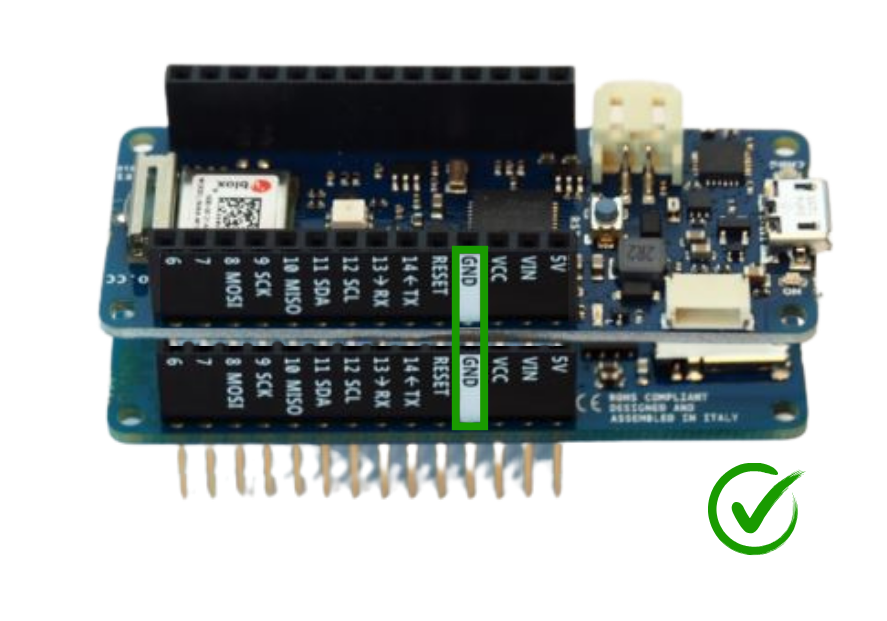
Attention
The three boards must be stacked properly (GND to GND, etc.).
2. Branchement du Module Gravity RTC#
The Grove RTC module manages the timestamp of recorded data (RTC = Real Time Clock).
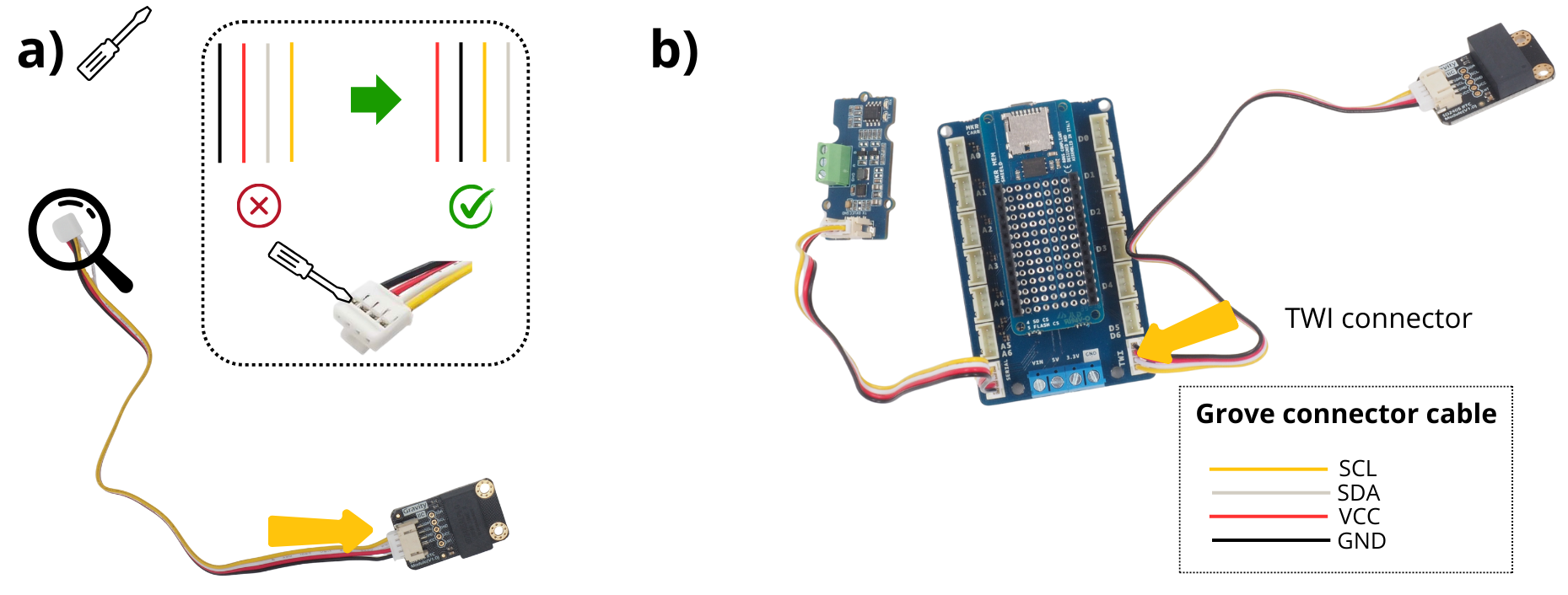
Prendre le module Module Gravity RTC et le câble Connecteur Grove. Ce câble n’est pas fourni avec, aussi il est important d’un avoir un supplémentaire lors du montage.
See also
To understand cable inversion, see video: https://www.youtube.com/watch?v=0G7iIwfuaJ8
Sur l’autre extrémité du câble, utiliser un tournevis plat fin afin d’inverser le câble rouge et noir, ainsi que le câble blanc et jaune. Sans cette étape, le Module Gravity RTC ne fonctionnera pas, et vos données ne seront pas horodatées.
3. Branchement du Module Grove RS485#
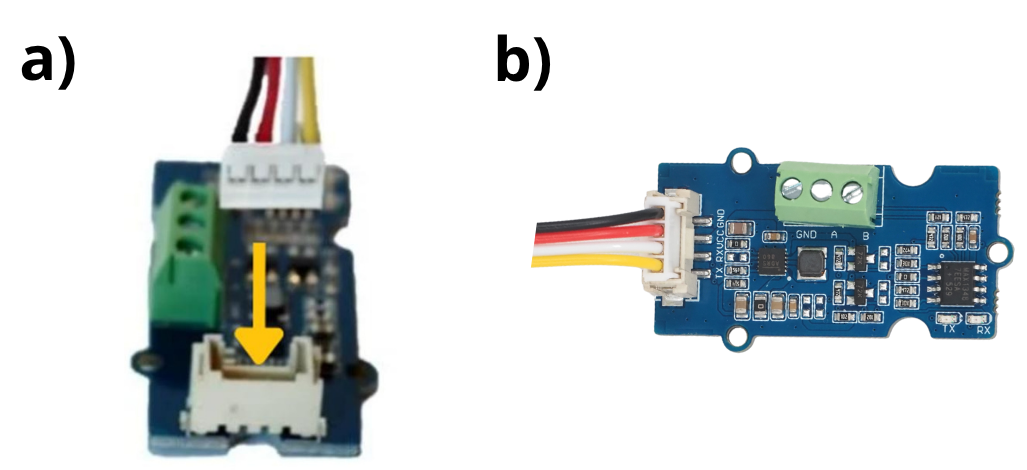
This module enables connection of an instrument or sensor using the RS485 communication protocol.
Prendre la Module Grove RS485 et le câble Connecteur Grove fourni avec.
Brancher le câble sur le Module Grove RS485.
4. Wiring the :term`Module Grove Voltage Divider`.#
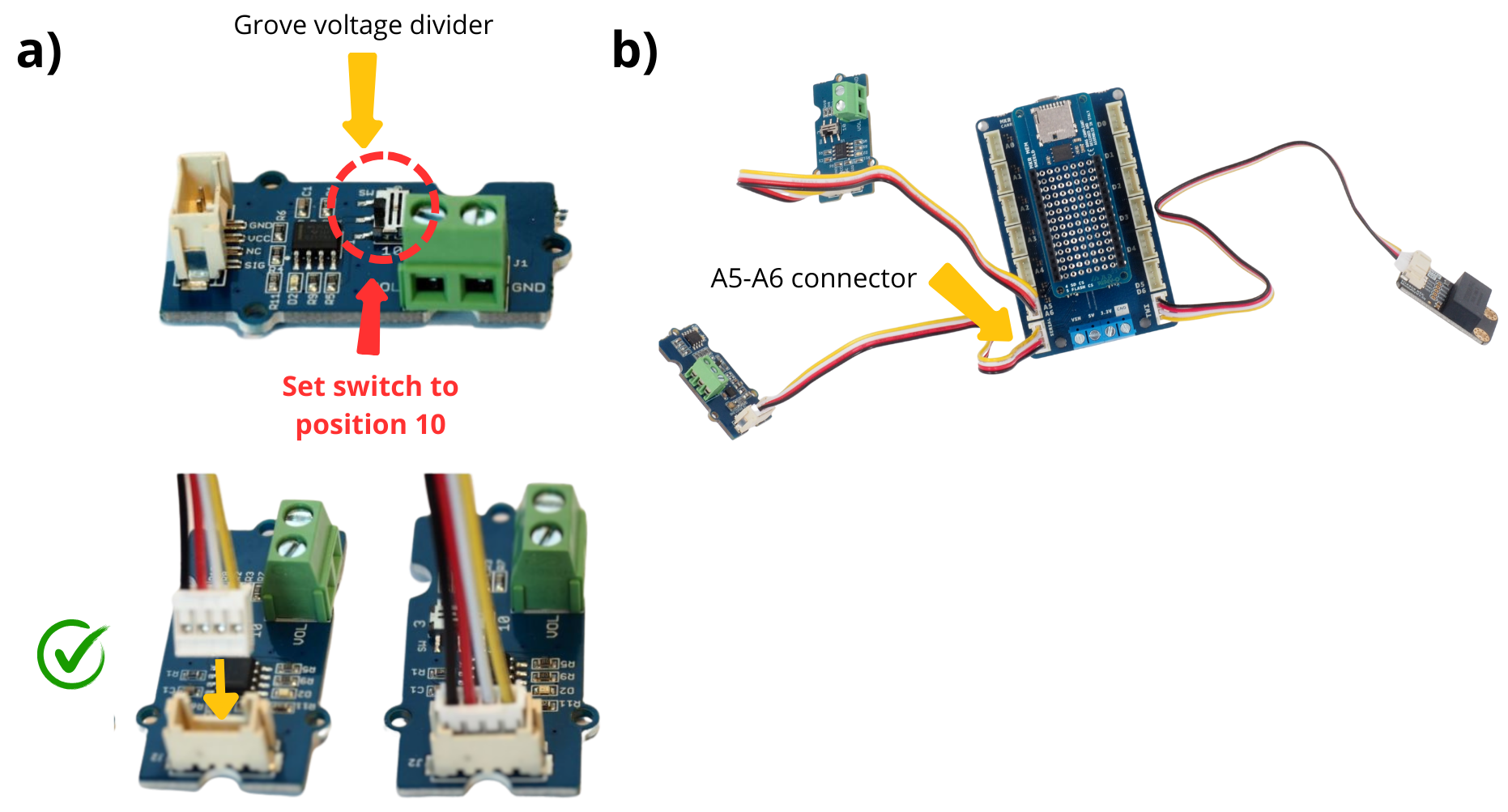
This module measures battery voltage; change the Switch for 12 V supply.
Prendre le Module Grove Voltage Divider. Switcher le curseur de la position initial 3 à la position 10.
Prendre le câble Connecteur Grove fourni avec le Module Grove Voltage Divider, puis le connecter dessus.
5. Branchement du Module Grove Screw Terminal#
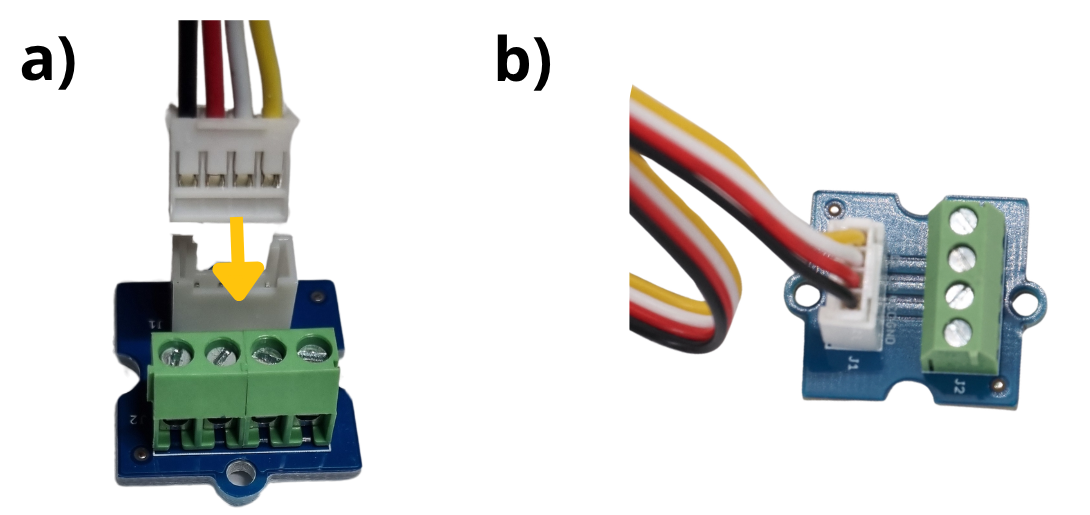
Le module Module Grove Screw Terminal permet d’interfacer à l’aide de câbles différents éléments qui seront ensuite gérés par le microcontrôleur. Ici, il permet d’interfacer le bouton poussoir.
Prendre le module Module Grove Screw Terminal et le câble Connecteur Grove fourni avec.
Brancher le câble sur le Prendre le Module Grove Screw Terminal
6. Montage du connecteur d’alimentation panneau#
Cut and strip a 20 cm red and a 20 cm black wire.
Take the traversing panel power connector.
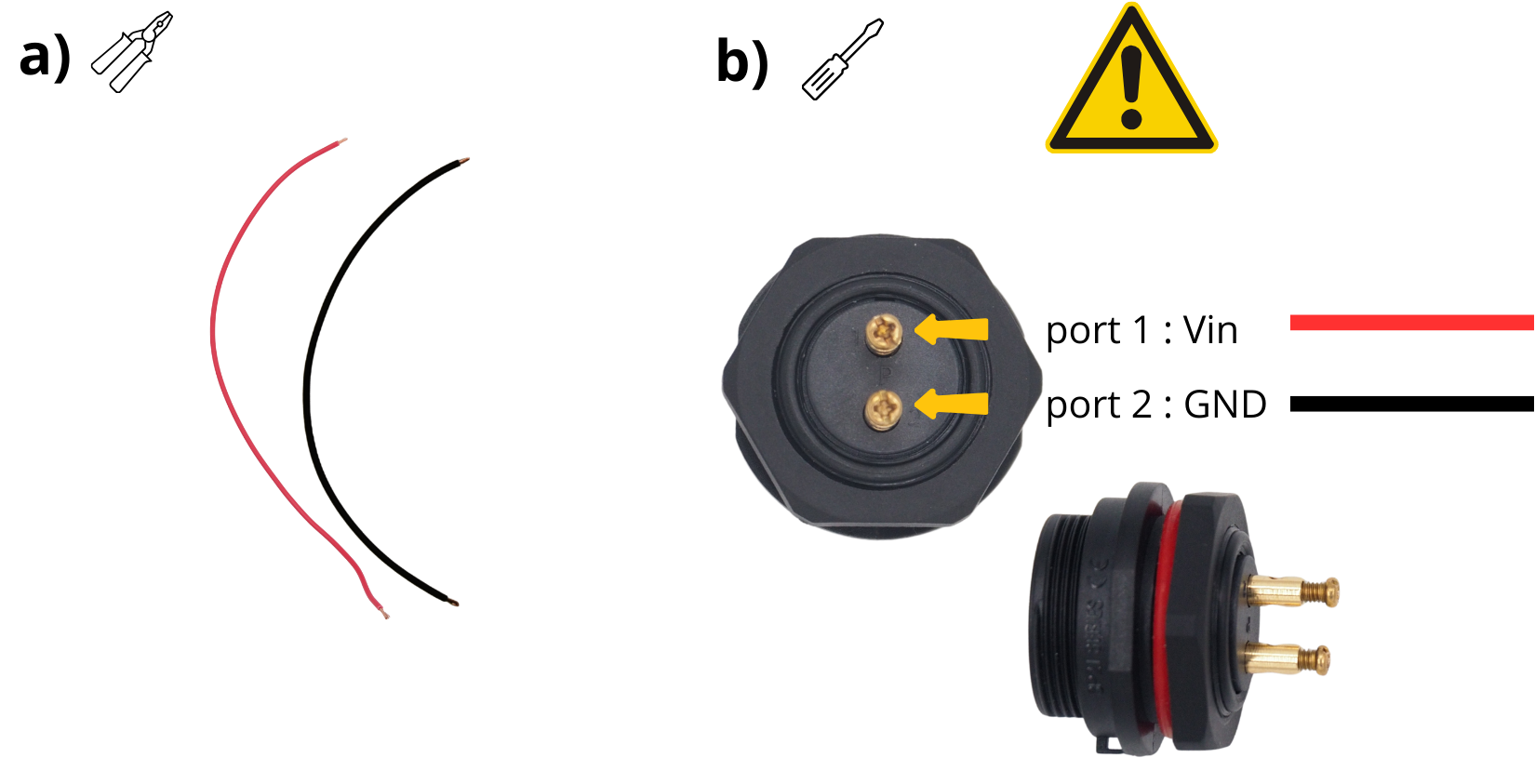
Insert one end of the red cable into the :term`Bornier à vis` “1” of the traversing panel power connector and tighten.
Insert one end of the black cable into the :term`Bornier à vis` “2” of the traversing panel power connector and tighten.
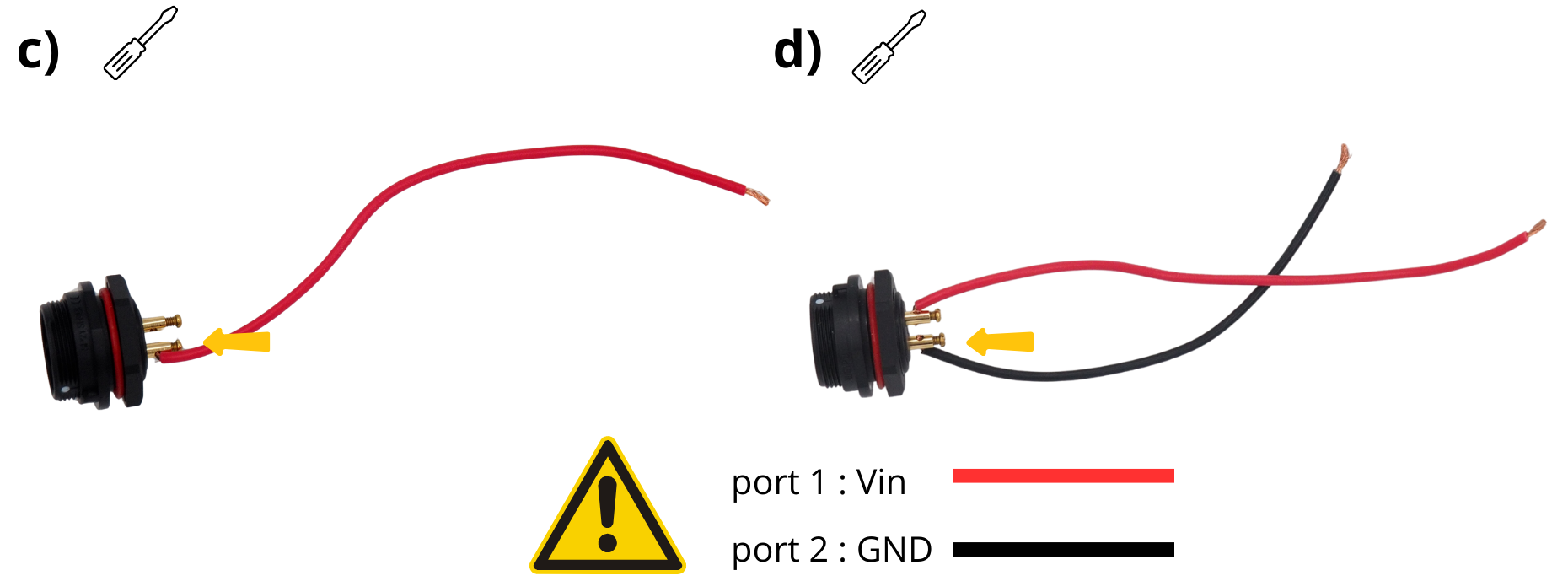
Attention
Use a heat‑shrink tube to prevent GND‑VIN short.
Etape 2 : Support fond de panier#
Ici sera détaillée l’utilisation d’un support fond de panier imprimée. Si vous ne possédez pas d’imprimante 3D, vous-pouvez vous adresser à un Fablab à proximité de chez vous.
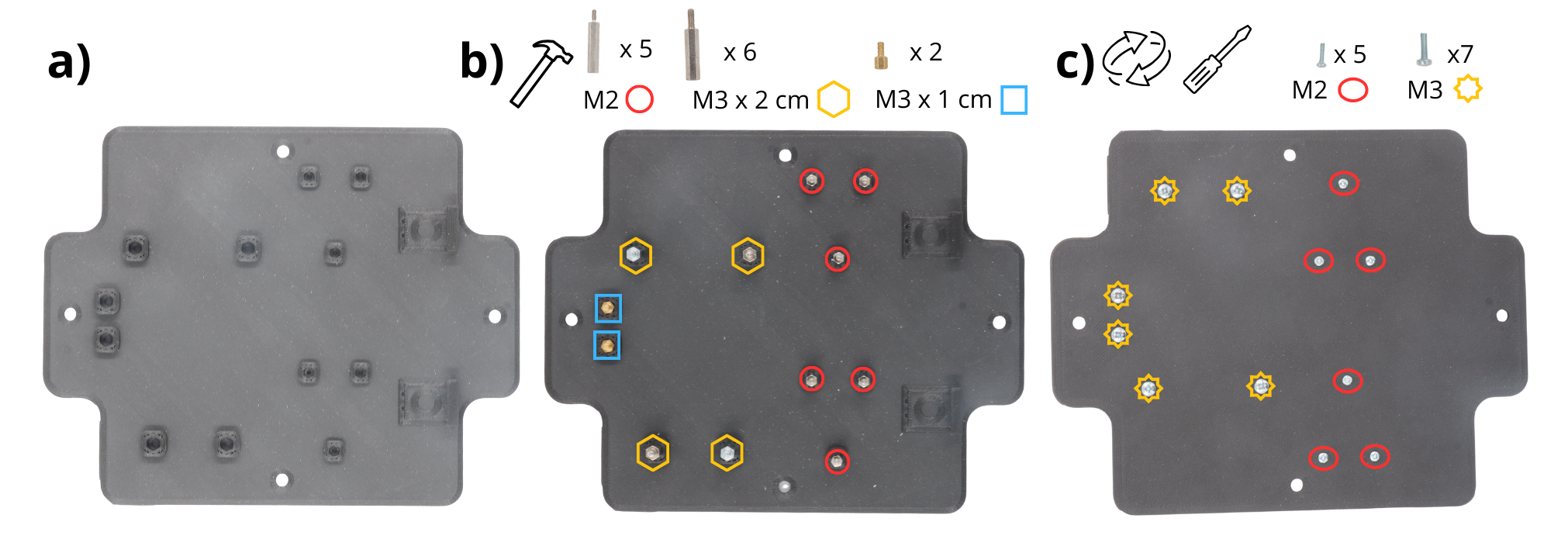
Prendre le support fond de panier.
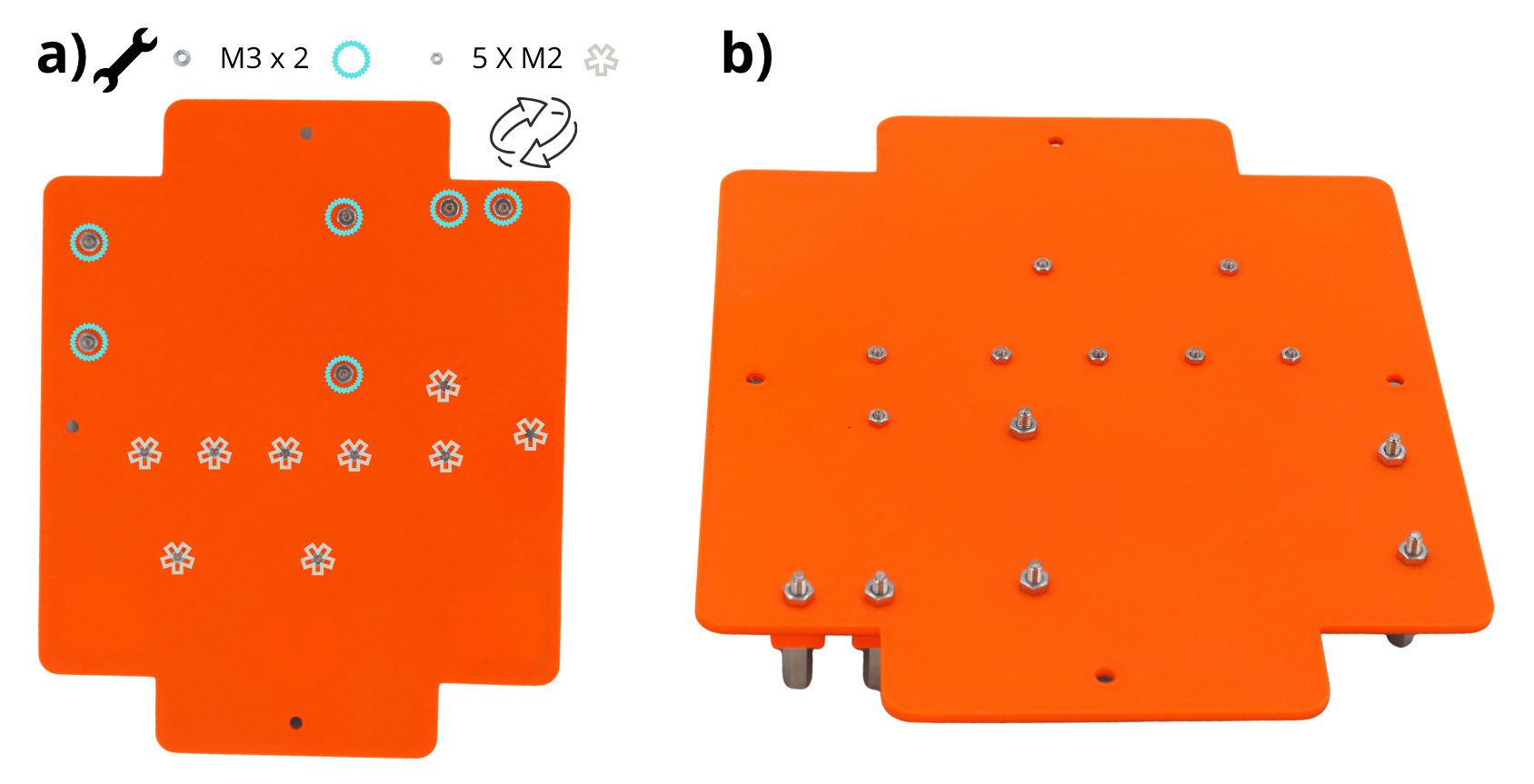
Insérer les Entretoise M3 de 2 cm dans les trous prévus à cet effet, la vis orienté vers le bas.
Le résultat suivant est obtenu.
Note
Afin de faciliter l’insertion des Entretoise dans les trous prévues à cet effet, vous pouvez vous servir d’un Maillet.
Insérer les Entretoise M2 de 2 cm dans les trous prévus à cet effet, la vis orienté vers le bas. Il peut-être utile d’avoir un Maillet afin d’aider à les insérer.
Le résultat suivant est obtenu.
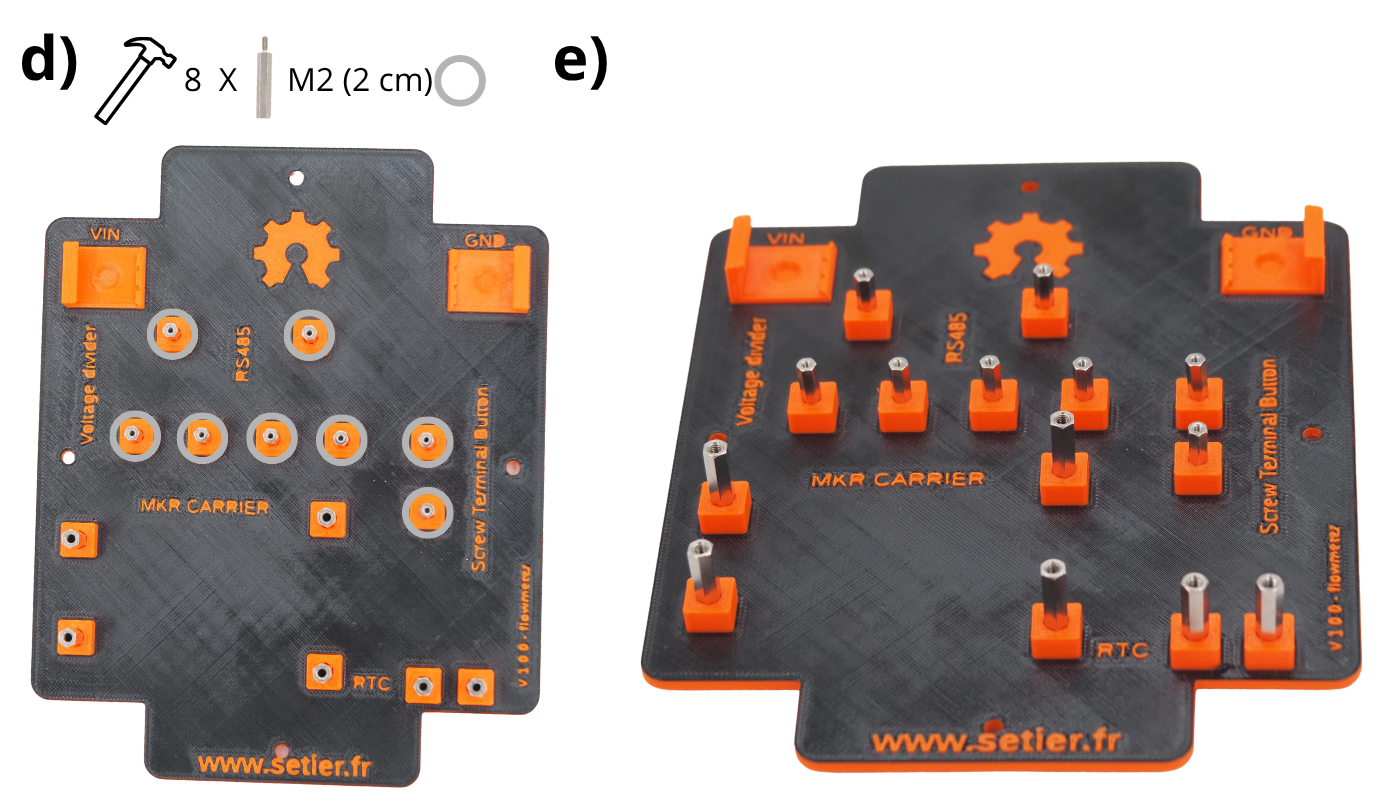
Retourner la plaque, et insérer les écrou M2 et les écrou M3 sur les vis des Entretoise. Utiliser une clé de 4 (écrou M2) et une clé de 5.5 (écrou M3) pour les serrer.
Le résultat suivant est obtenu.
Etape 3 : Mise en place des différents éléments éléctronique sur le support fond de panier#
1. Placement et fixation des cartes Arduino#
Note
For upcoming steps, screw components gently; no force required.
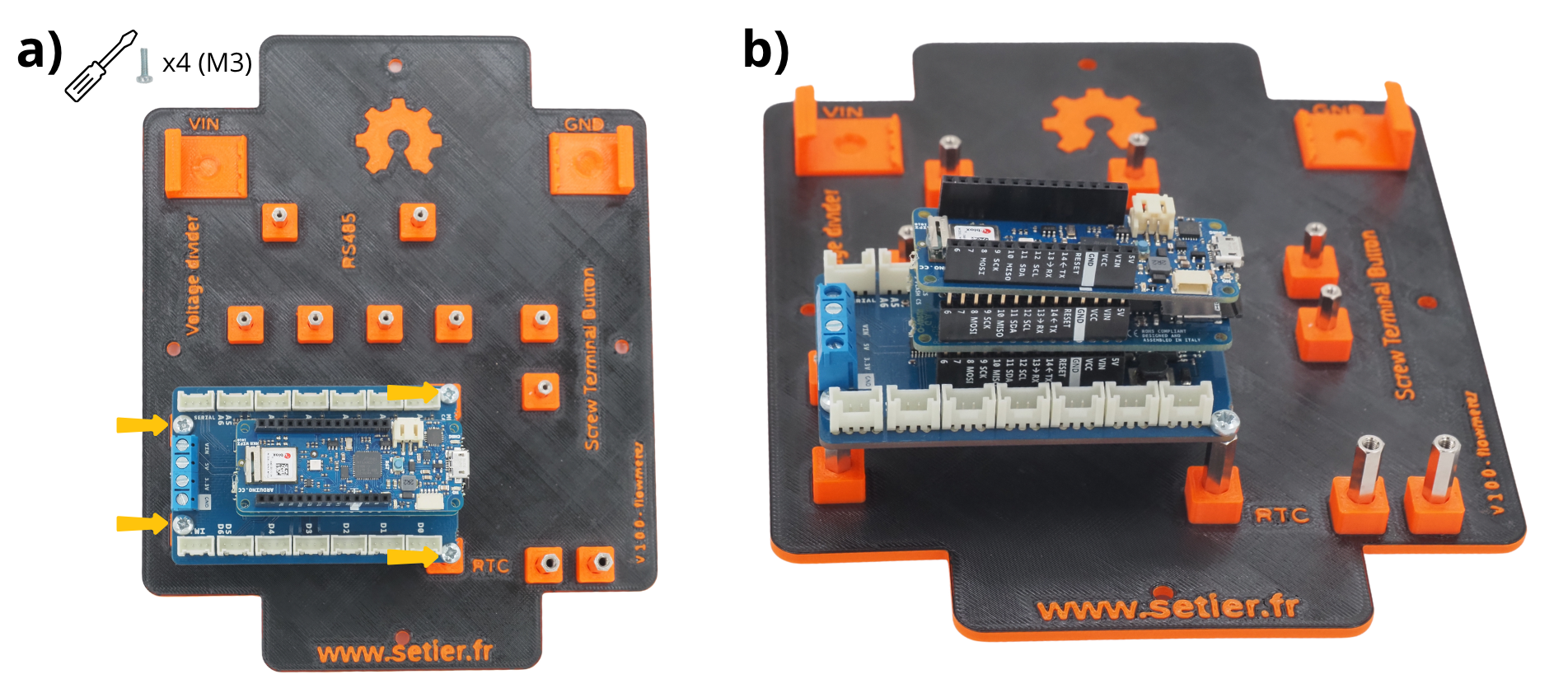
Fixer à l’aide d’écrous M3 l’empilement de cartes Arduino sur les Entretoise prévues à cet effet.
Le résultat suivant est obtenu.
2. Placement et fixation du Module Gravity RTC#
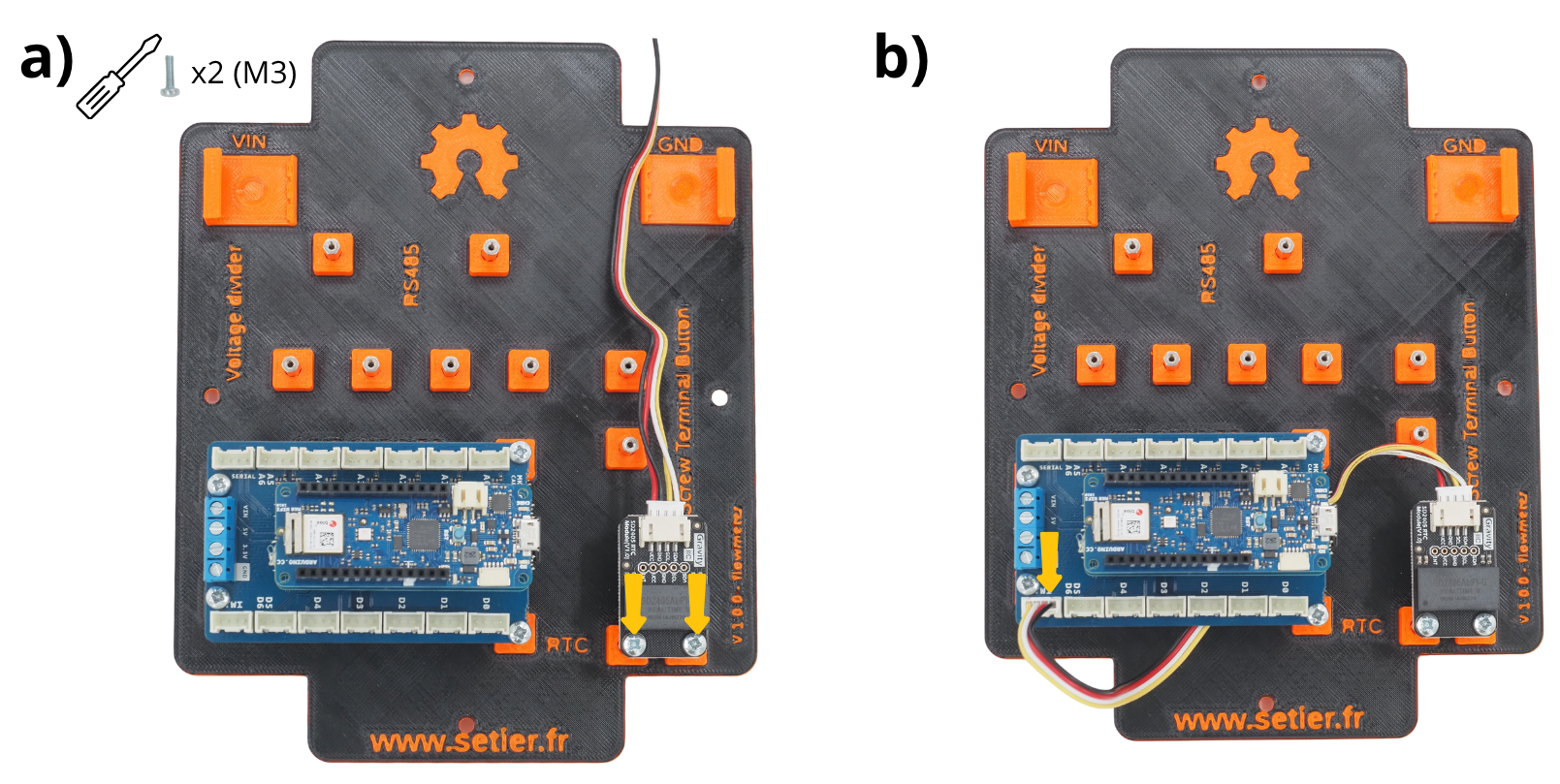
Fixer à l’aide d’écrous M3 Module Gravity RTC sur les Entretoise prévues à cet effet.
Connecter le Connecteur Grove sur le port TWI de la carte Arduino MKR Connector Carrier.
4. Placement et fixation de la Module Grove Screw Terminal#
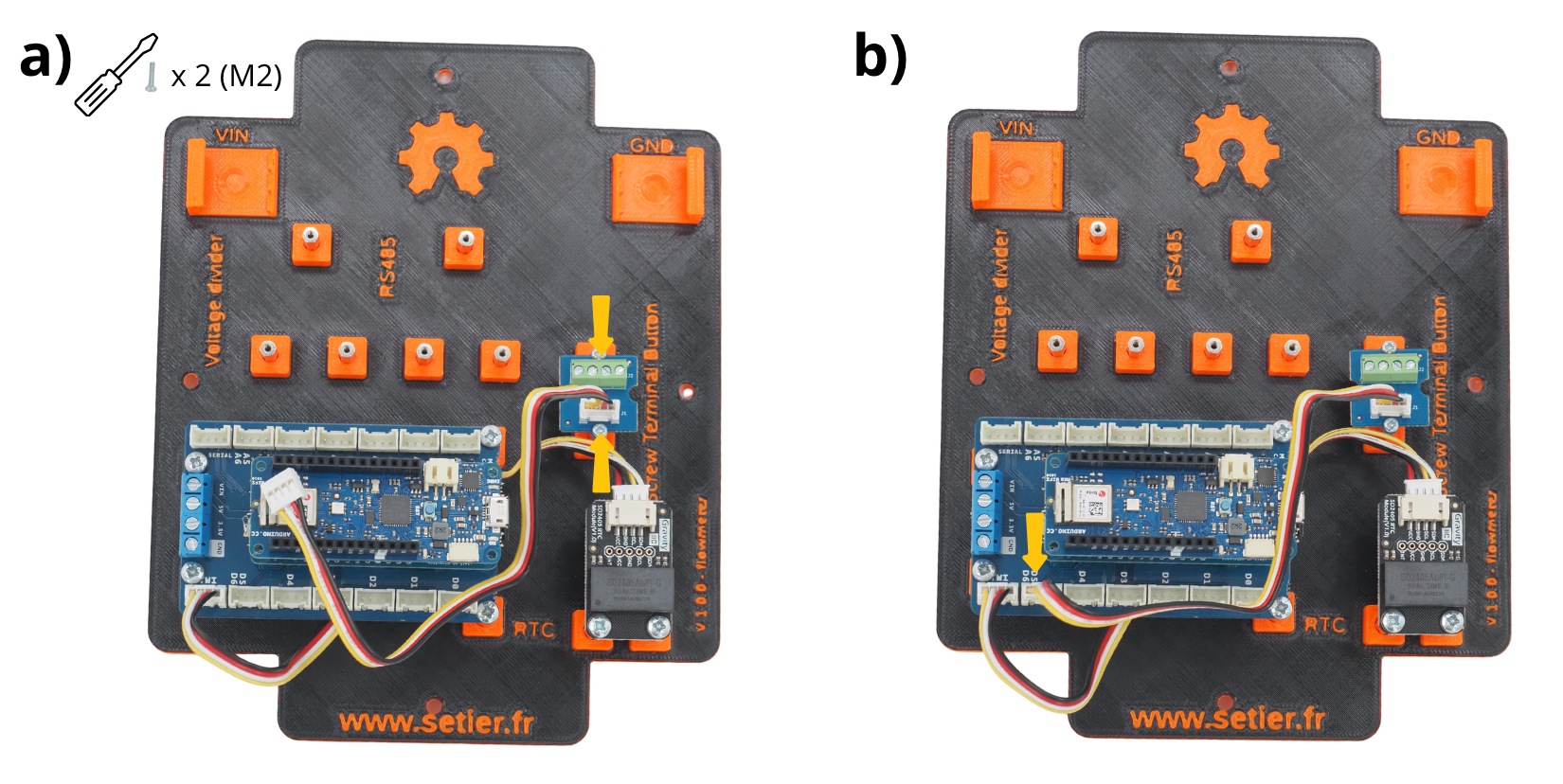
Fixer à l’aide d’écrous M2 le Module Grove Screw Terminal sur les Entretoise prévues à cet effet.
Connecter le Connecteur Grove sur le port D5-D6 de la carte Arduino MKR Connector Carrier.
5. Placement et fixation du Module Grove Voltage Divider#
Fixer à l’aide d’écrous M2 le Module Grove Voltage Divider sur les Entretoise prévues à cet effet.
Connecter le Connecteur Grove sur le port A5-A6 de la carte Arduino MKR Connector Carrier.
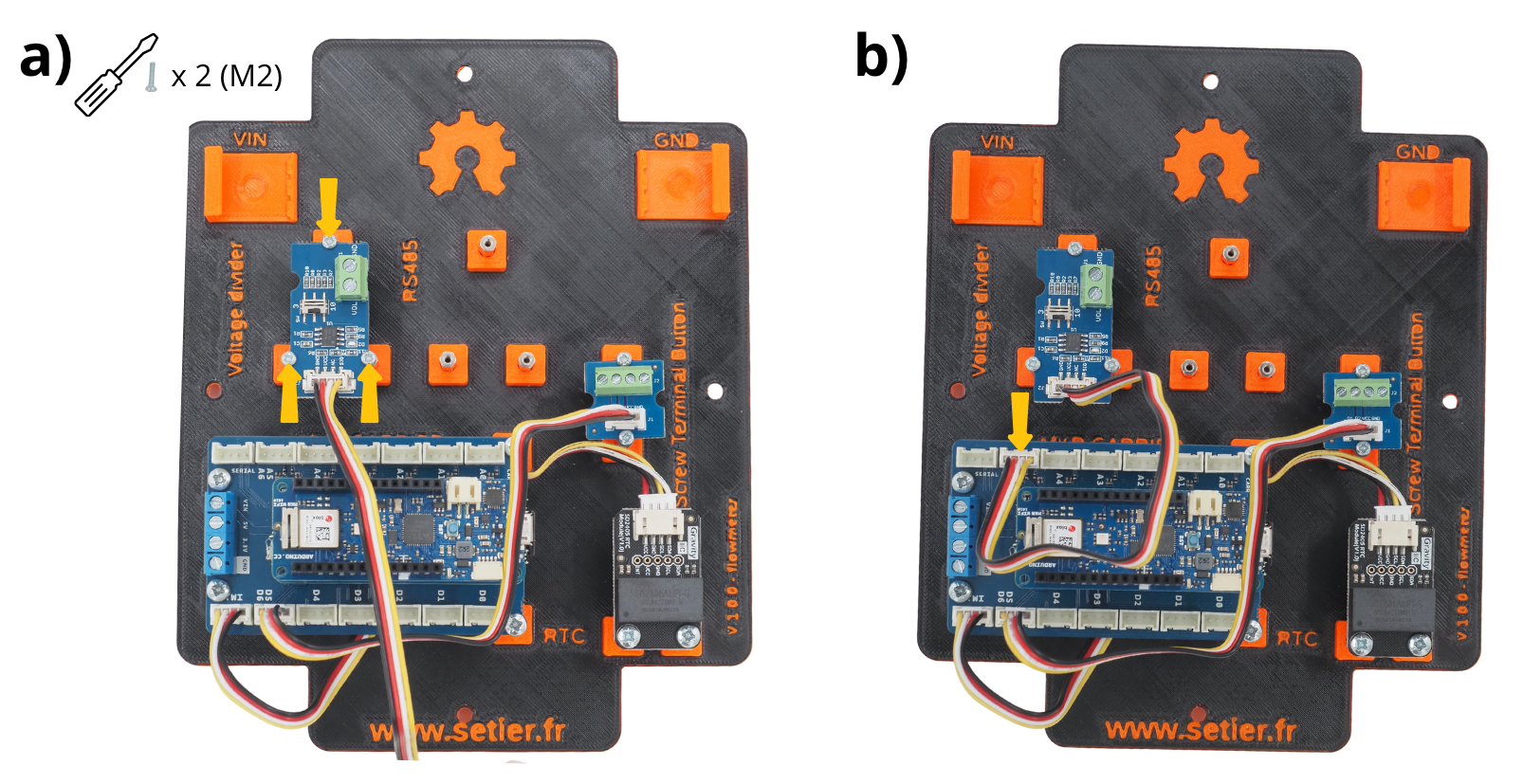
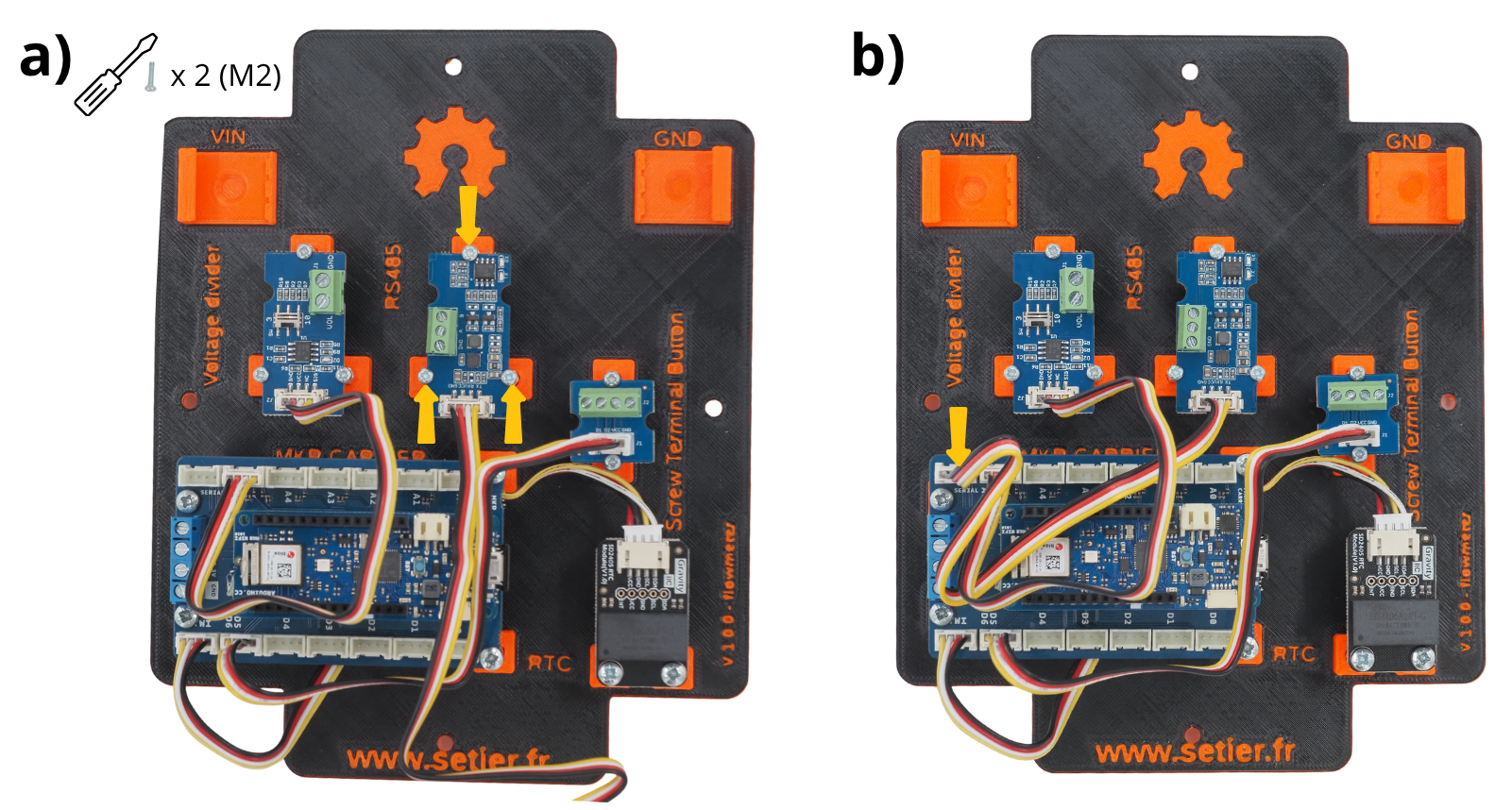
5. Placement et fixation du Module Grove RS485#
Fixer à l’aide d’écrous M2 le Module Grove RS485 sur les Entretoise prévues à cet effet.
Connecter le Connecteur Grove sur le port SERIAL de la carte Arduino MKR Connector Carrier.
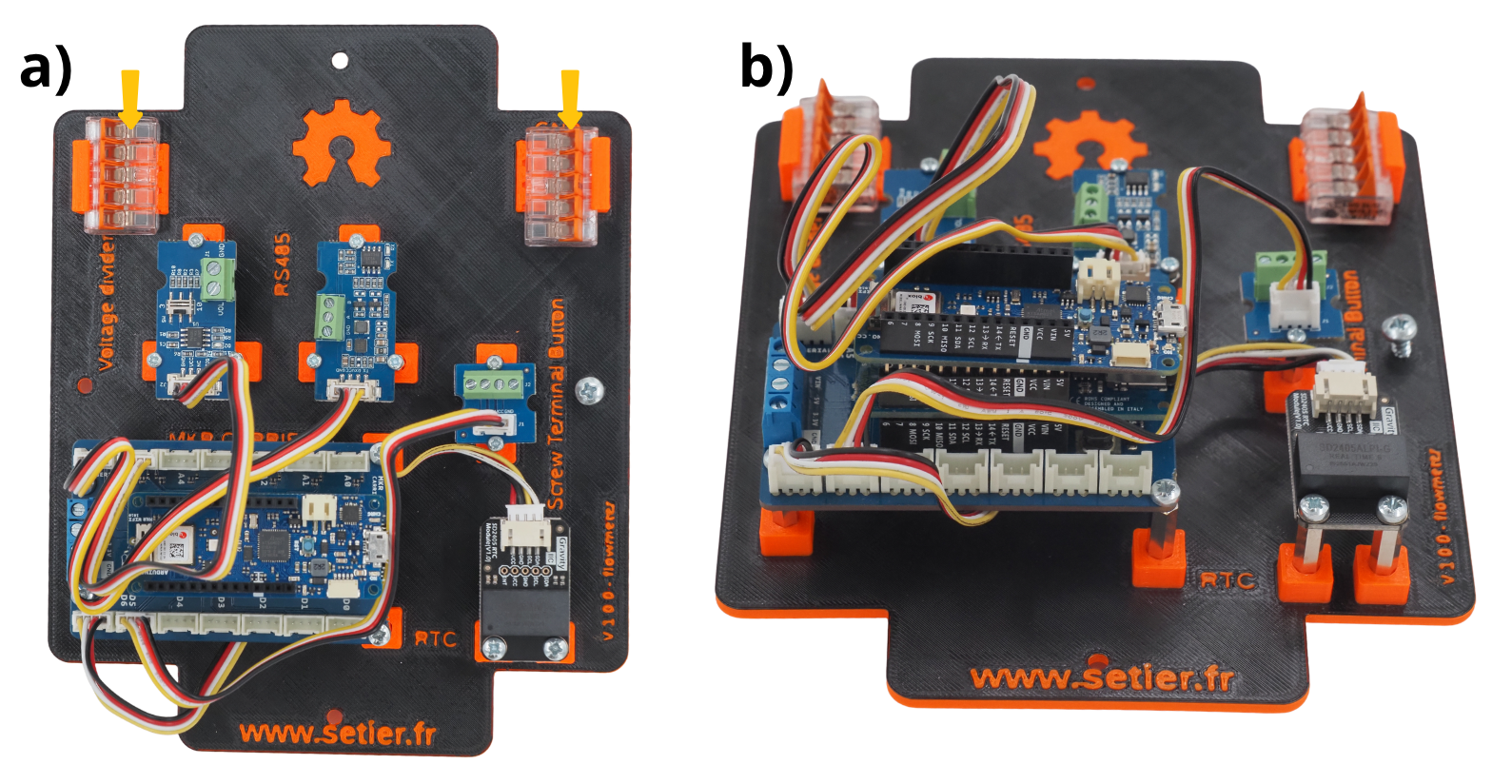
6. Mise en place des Borne de connexion WAGO#
Glisser les deux Borne de connexion WAGO dans les supports prévu à cet effet (noté VIN et GND sur le support fond de panier).
Le résultat suivant est obtenu.
Etape 4 : Câblage des différents éléments#
1. Raccordement de la terre aux carte Arduino#
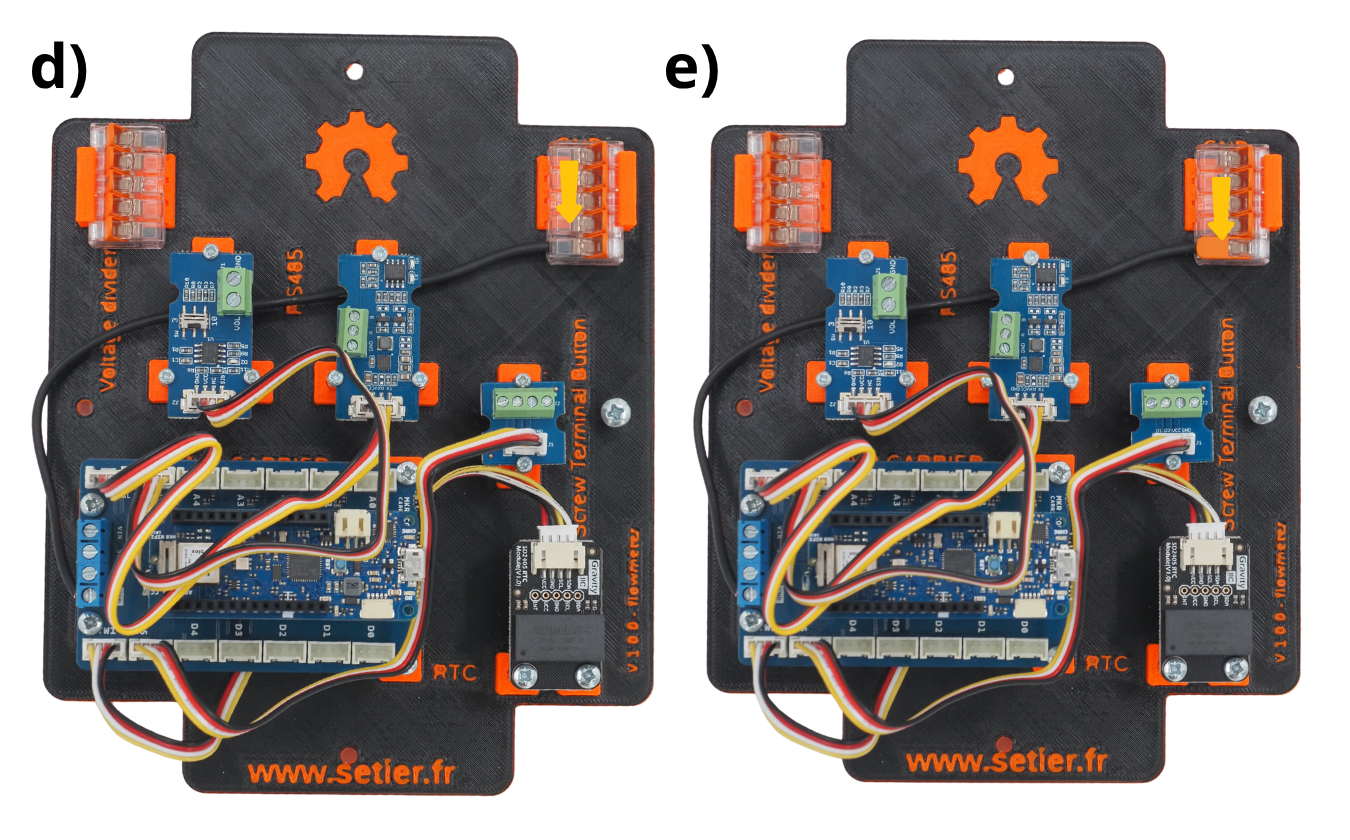
Couper un câble noir de 20 centimètres.
Le glisser dans le port GND de la carte Arduino MKR Connector Carrier.
Vissez-la avec un tournevis plat.
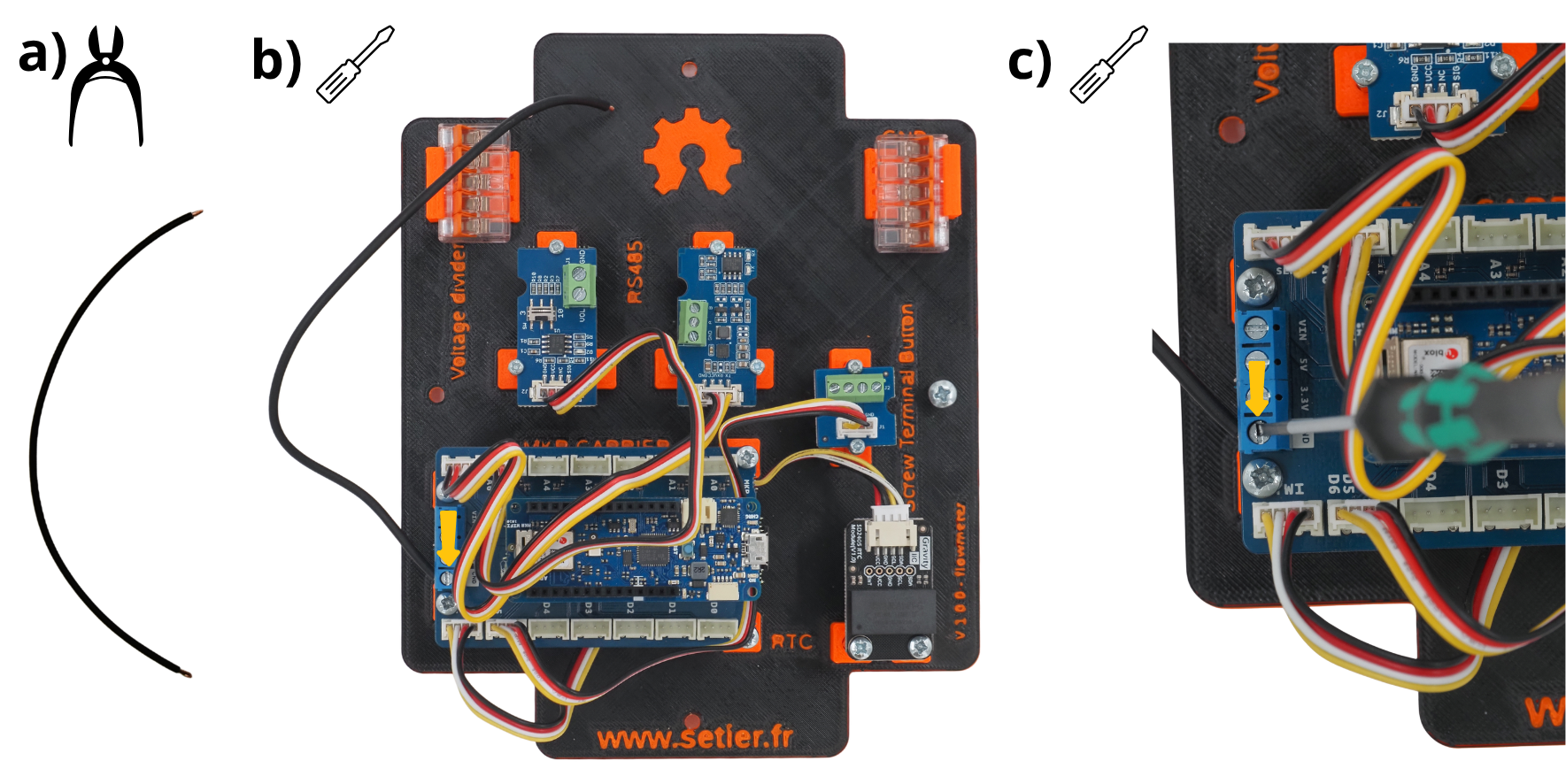
Glisser l’autre éxtrémité du câble noir dans un des ports de la Borne de connexion WAGO placé sur le support GND.
Fermer cette prise de la Borne de connexion WAGO.
8. Raccordement de l’alimentation aux carte Arduino#
Couper un câble rouge de 20 centimètres.
Le glisser dans le port VIN de la carte Arduino MKR Connector Carrier.
Vissez-la avec un tournevis plat.
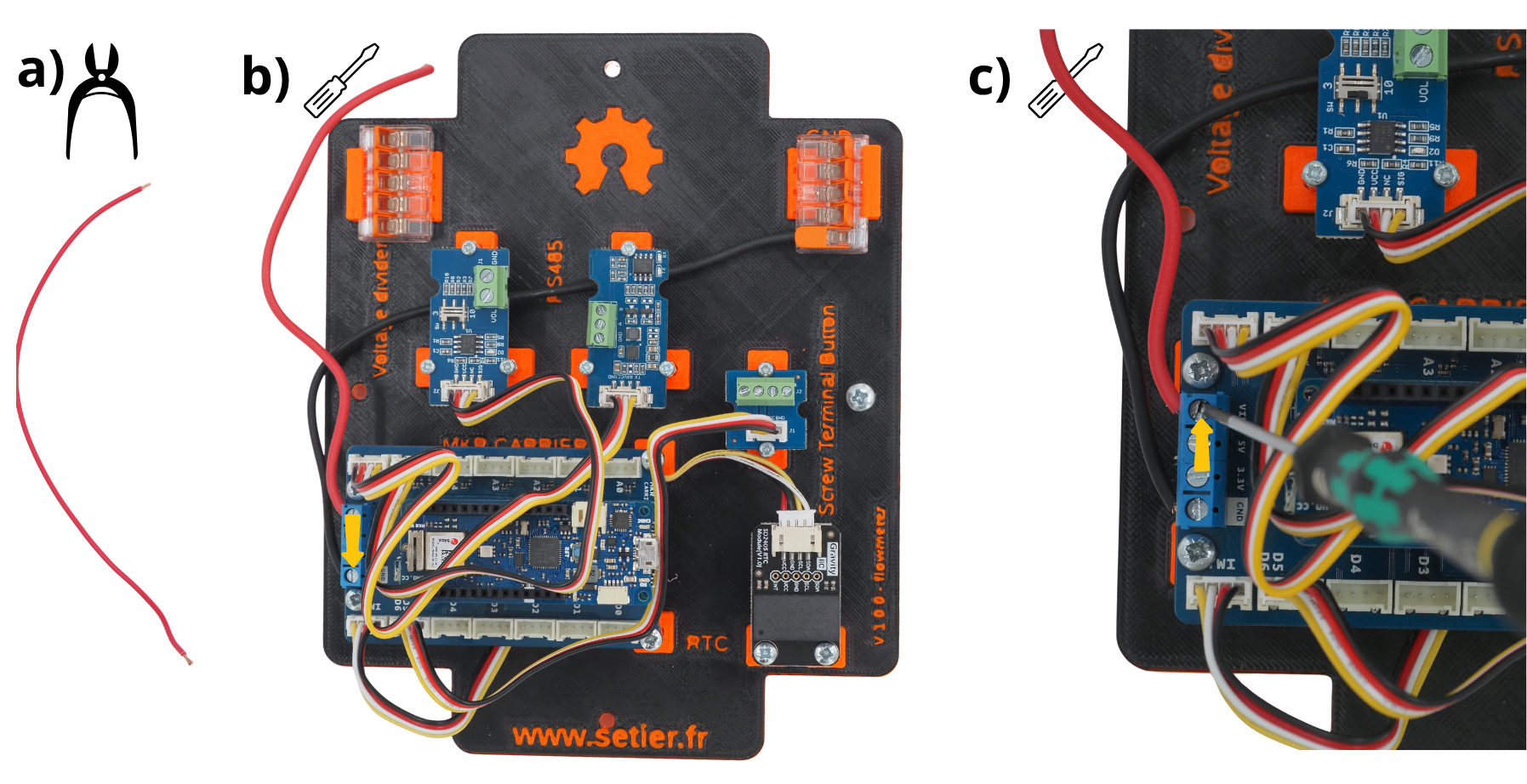
Glisser l’autre éxtrémité du câble rouge dans un des ports de la Borne de connexion WAGO placé sur le support VIN.
Fermer cette prise de la Borne de connexion WAGO.
9. Raccordement de la terre au Module Grove Voltage Divider#
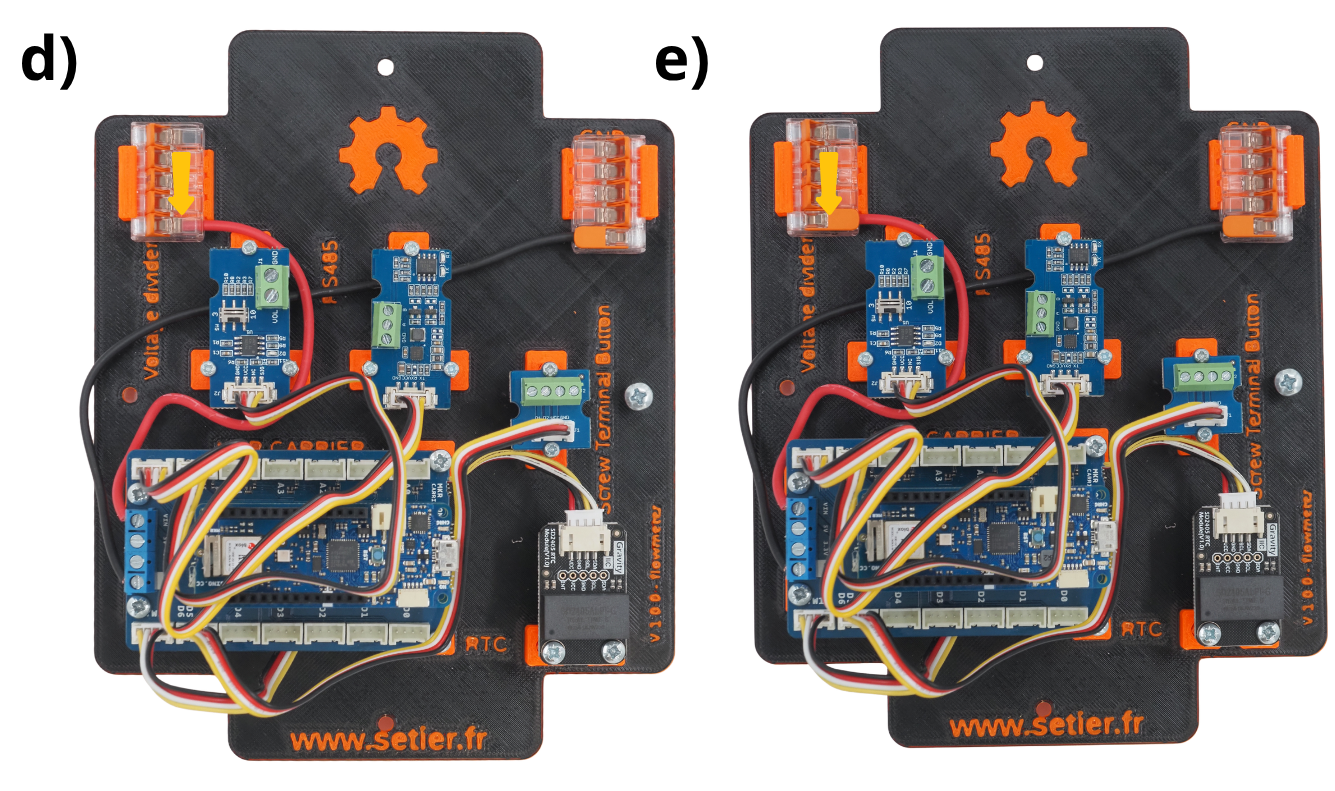
Couper un câble noir de 20 centimètres.
Le glisser dans le port GND du Module Grove Voltage Divider.
Vissez-la avec un tournevis plat.
Glisser l’autre éxtrémité du câble noir dans un des ports de la Borne de connexion WAGO placé sur le support GND.
Fermer cette prise de la Borne de connexion WAGO.
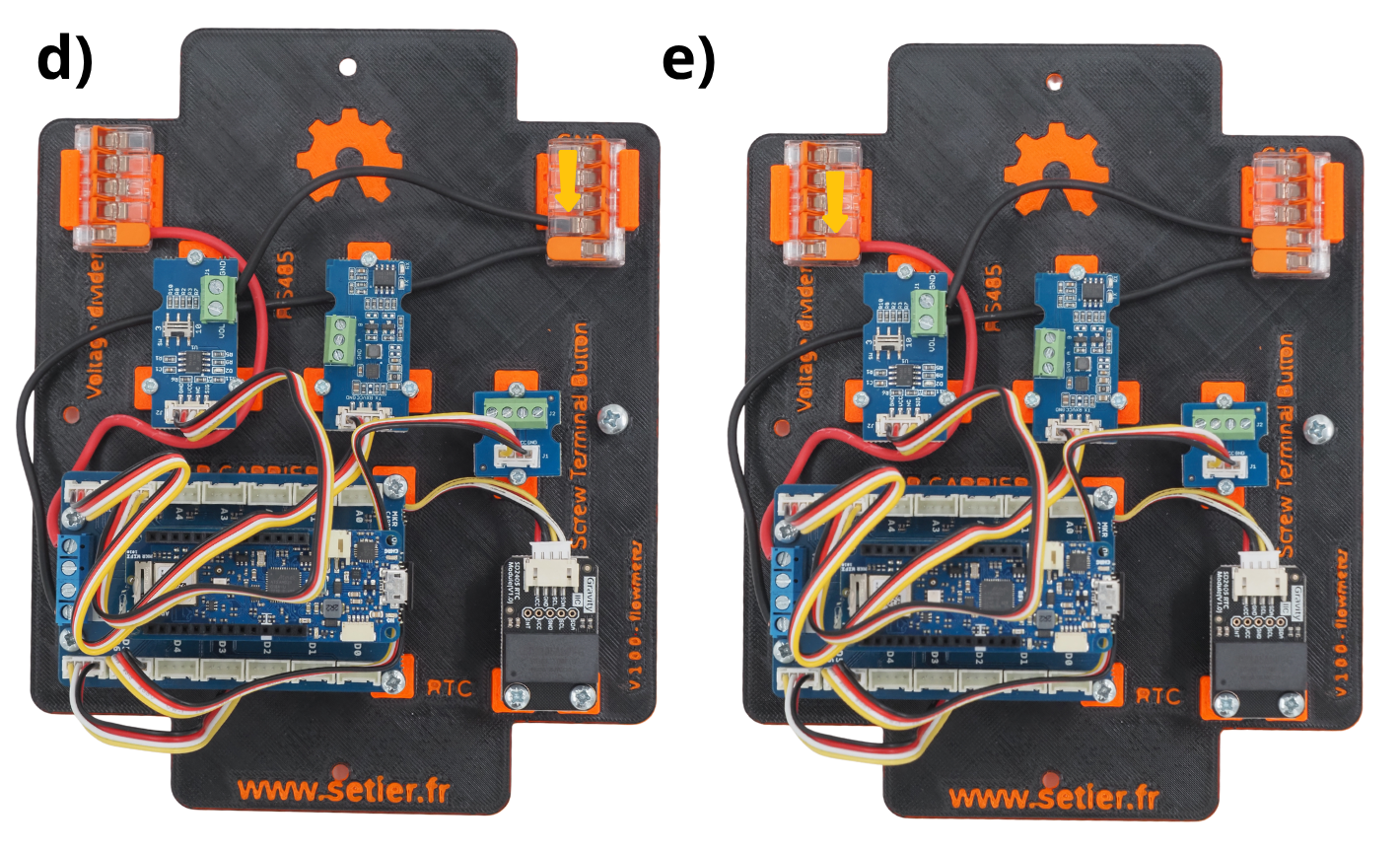
10. Raccordement de l’alimentation du Module Grove Voltage Divider#
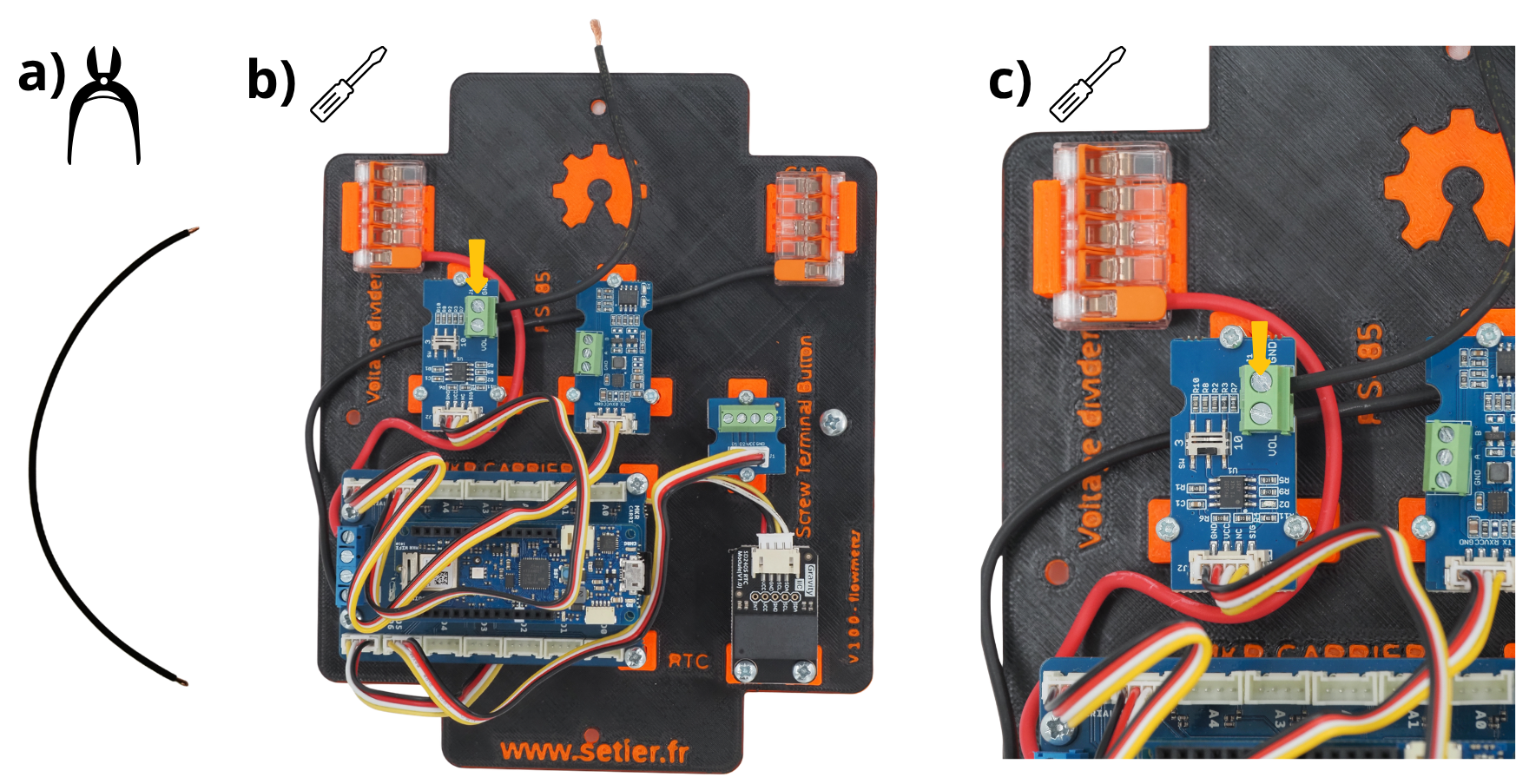
Couper un câble rouge de 20 centimètres.
Le glisser dans le port VIN du Module Grove Voltage Divider.
Vissez-la avec un tournevis plat.
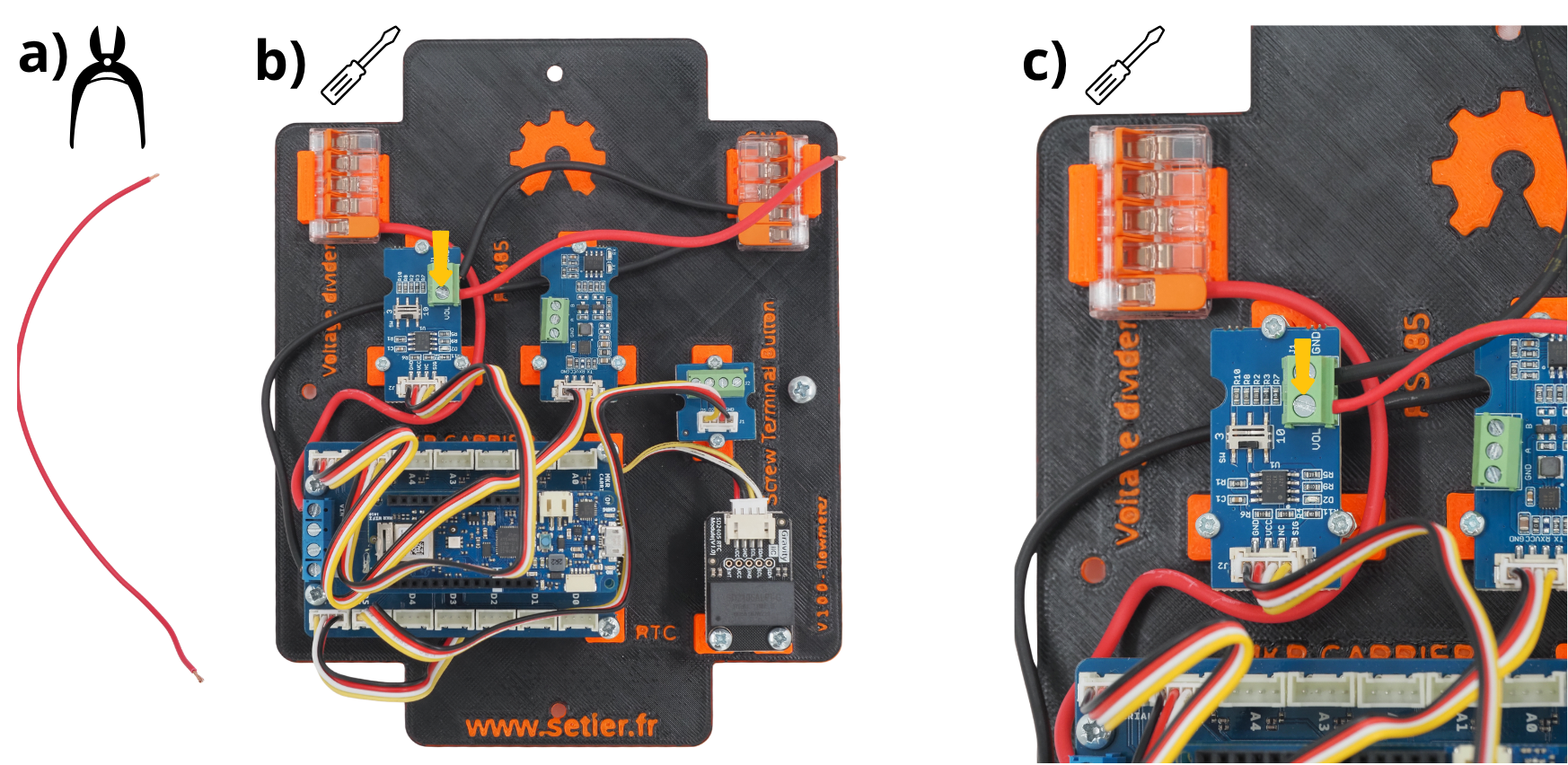
Glisser l’autre éxtrémité du câble rouge dans un des ports de la Borne de connexion WAGO placé sur le support VIN.
Fermer cette prise de la Borne de connexion WAGO.

11. fixation de la plaque dans le boîtier#
Insérer la plaque dans le boitier, puis la fixer avec les vis fournis avec le boitier.
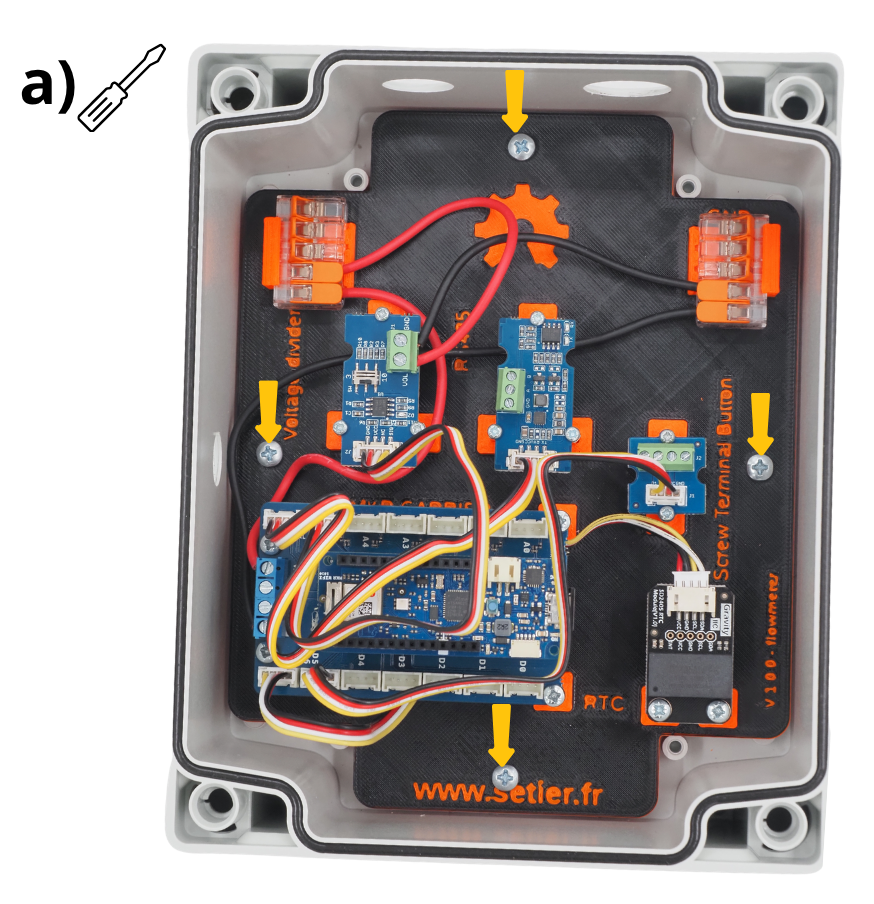
12. Mise en place du capteur SEN0358#
Insérer le presse-étoupe dans le trou prévu à cet effet, puis le serrer afin de le fixer.
Insérer le capteur dans le presse-étoupe.
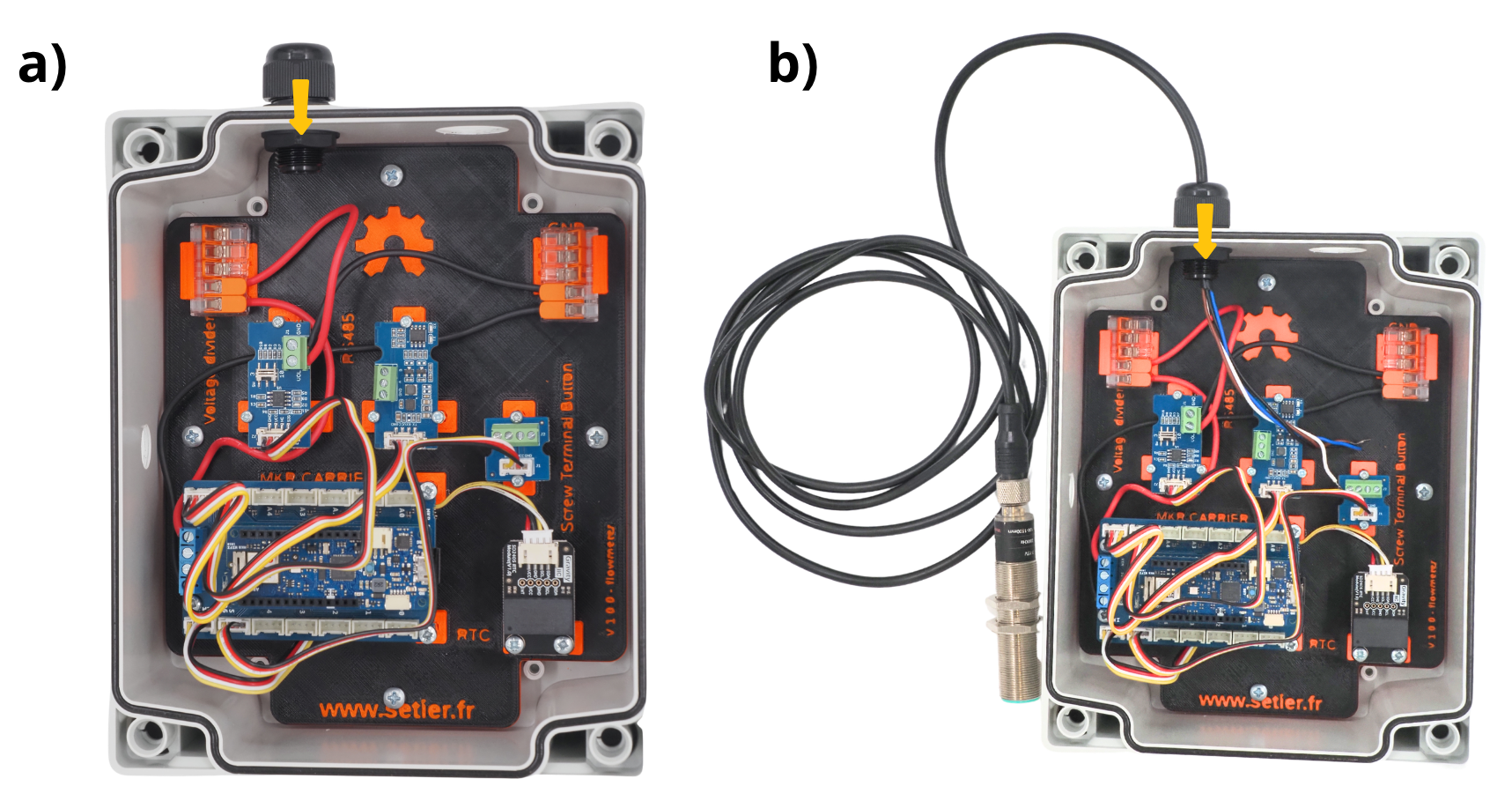
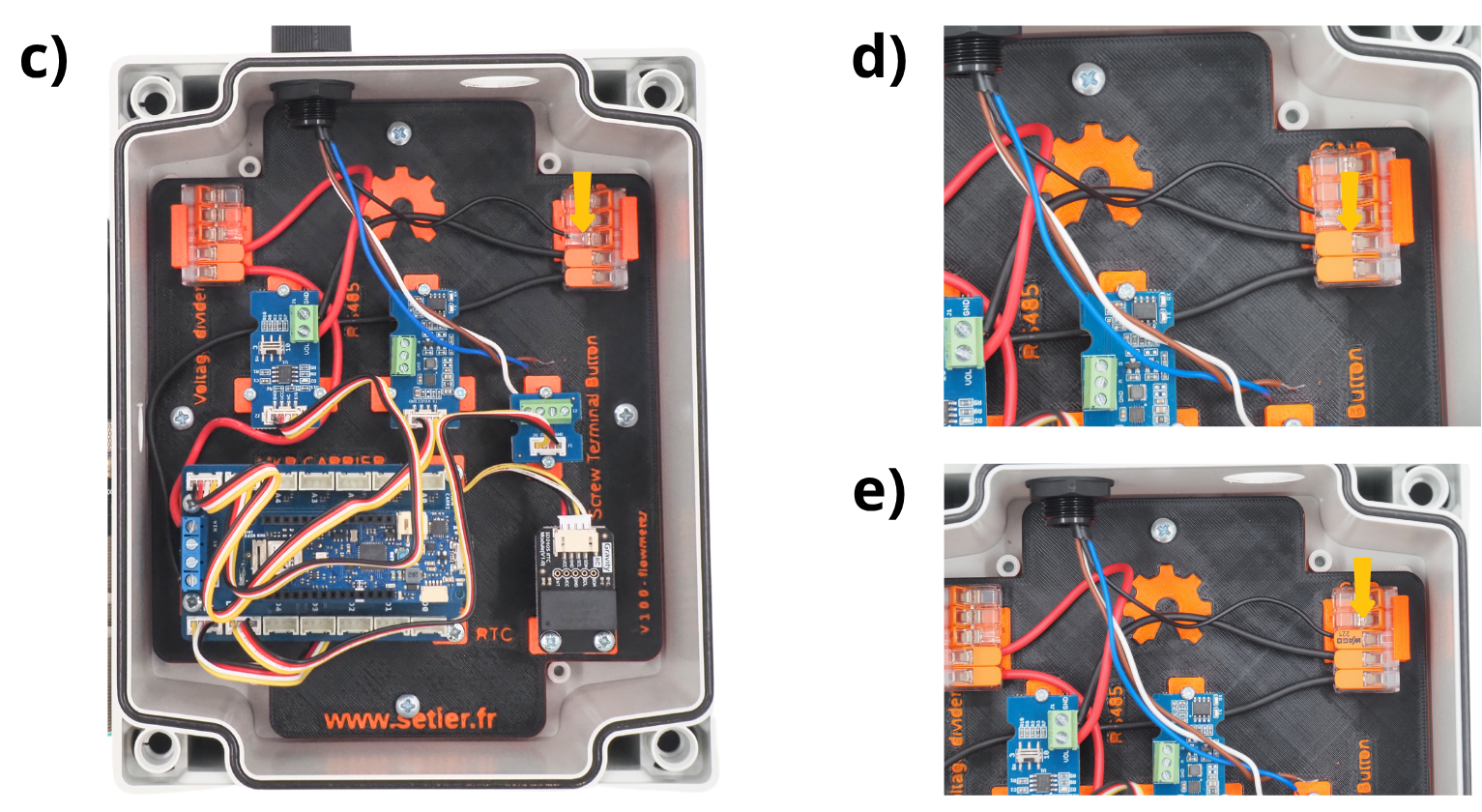
Prendre le câble noir du capteur.
Glisser l’éxtrémité du câble noir dans un des ports de la Borne de connexion WAGO placé sur le support GND.
Fermer cette prise de la Borne de connexion WAGO.
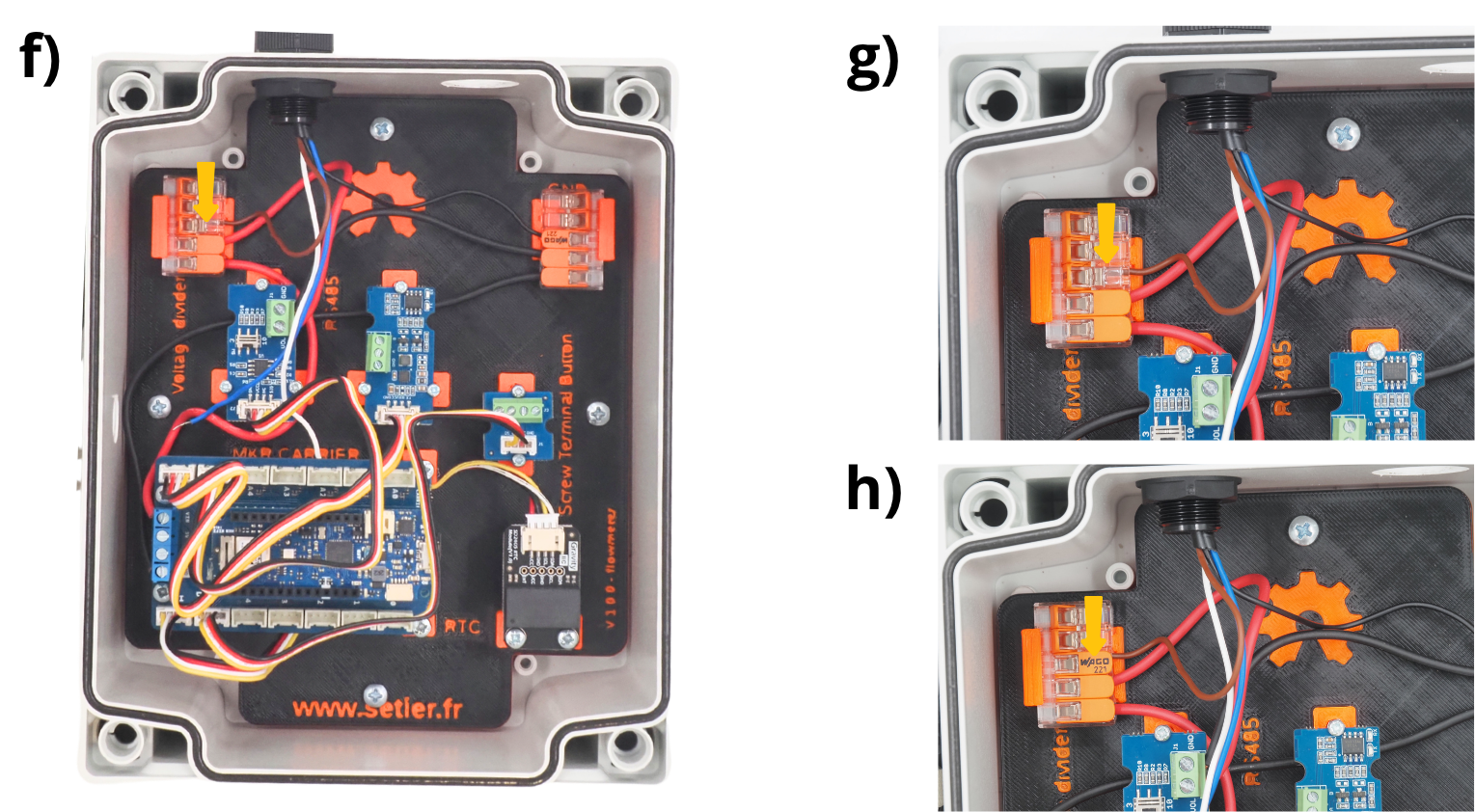
Prendre le câble rouge (marron) du capteur.
Glisser l’éxtrémité du câble rouge dans un des ports de la Borne de connexion WAGO placé sur le support VIN.
Fermer cette prise de la Borne de connexion WAGO.
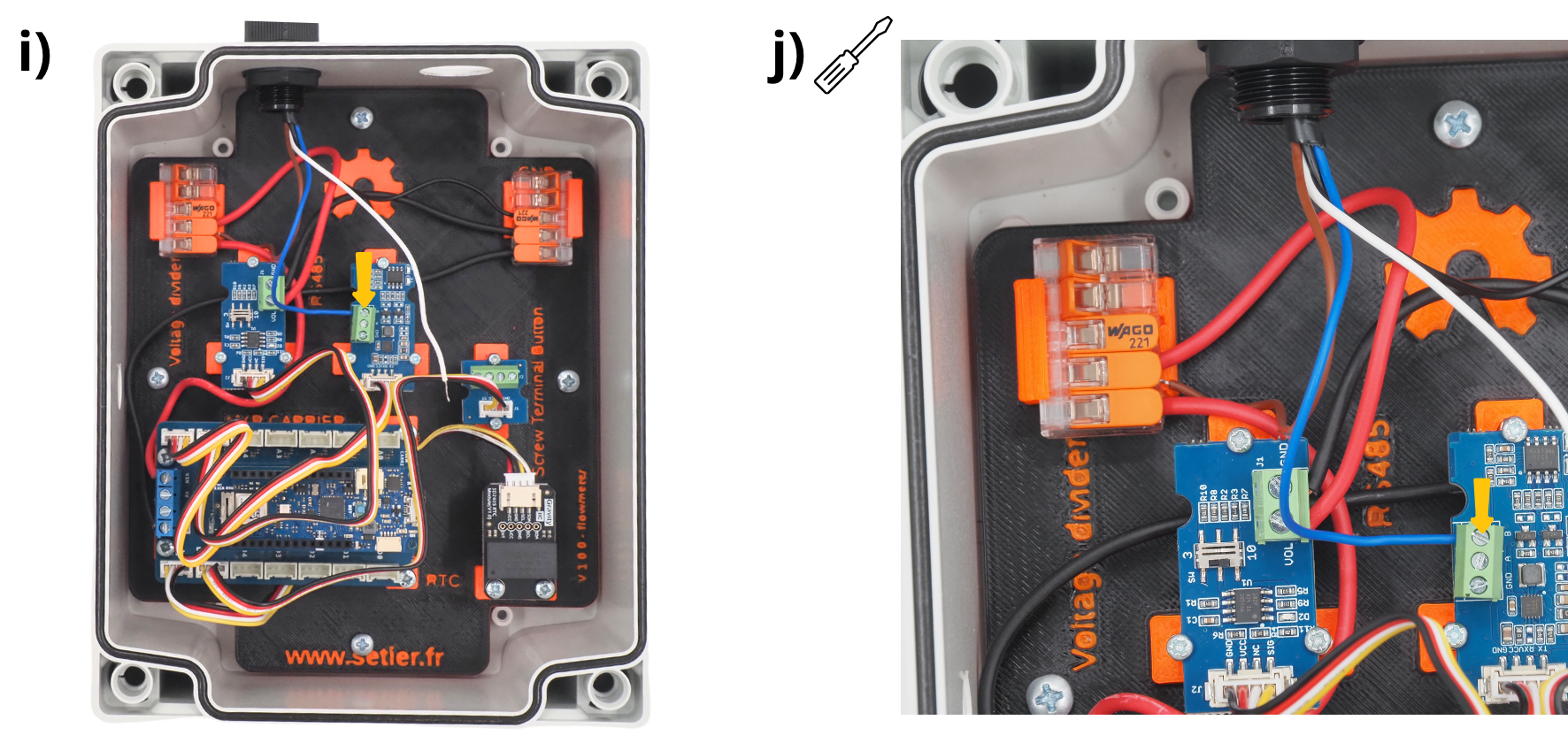
Prendre le câble bleu du capteur, et le glisser dans le **port B ** du Module Grove RS485.
verouiller le câble à l’aide d’un tournevis plat.
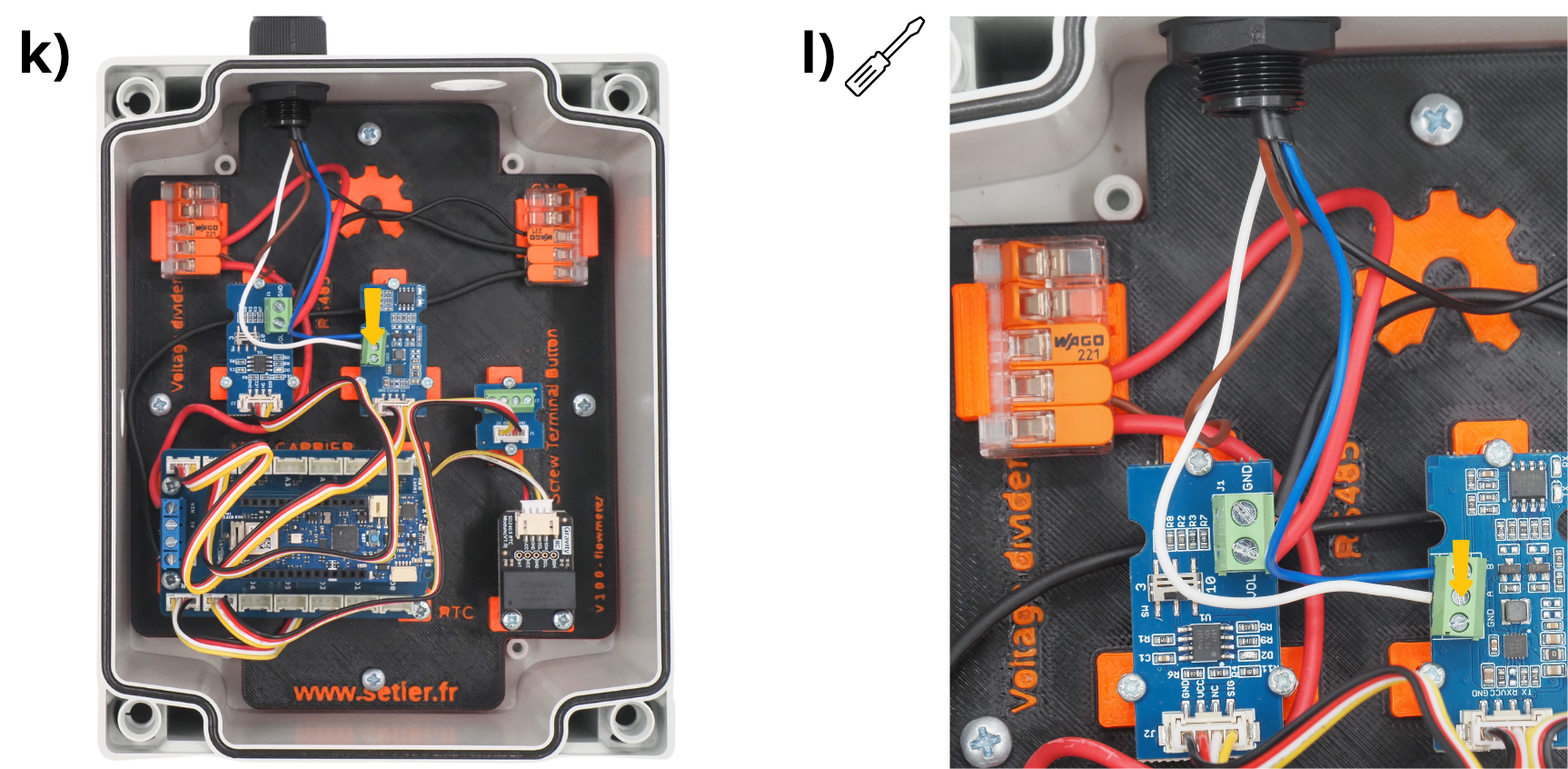
Prendre le câble bleu du capteur, et le glisser dans le port A du Module Grove RS485.
verouiller le câble en vissant à l’aide d’un tournevis plat.
13. Mise en place du bouton poussoir#
Insérer le bouton poussoir dans le trou prévu à cet effet.
Le fixer avec l’écrou et le joint fourni avec.
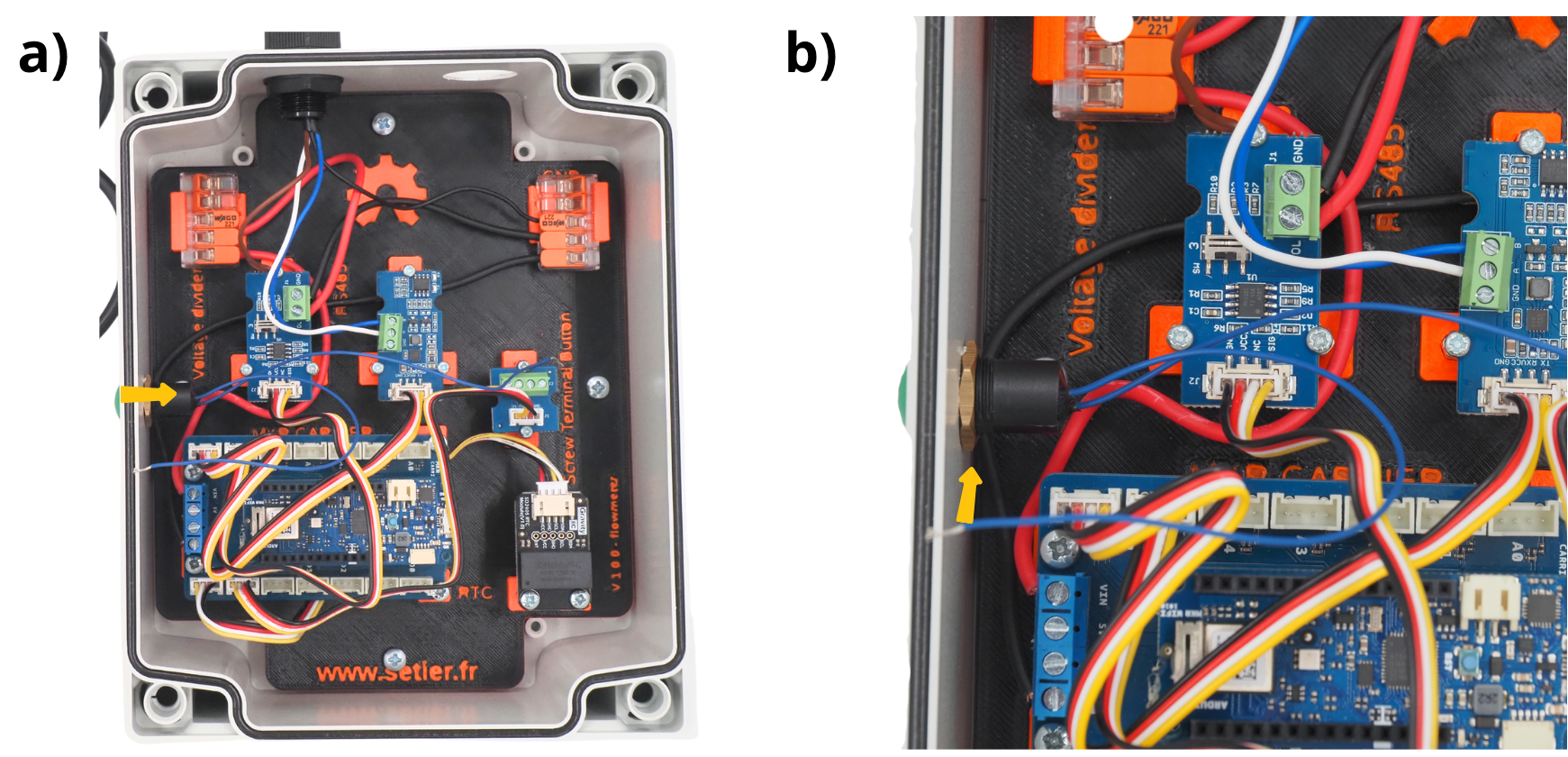
Attention
The push‑button gasket must be placed outside the box.
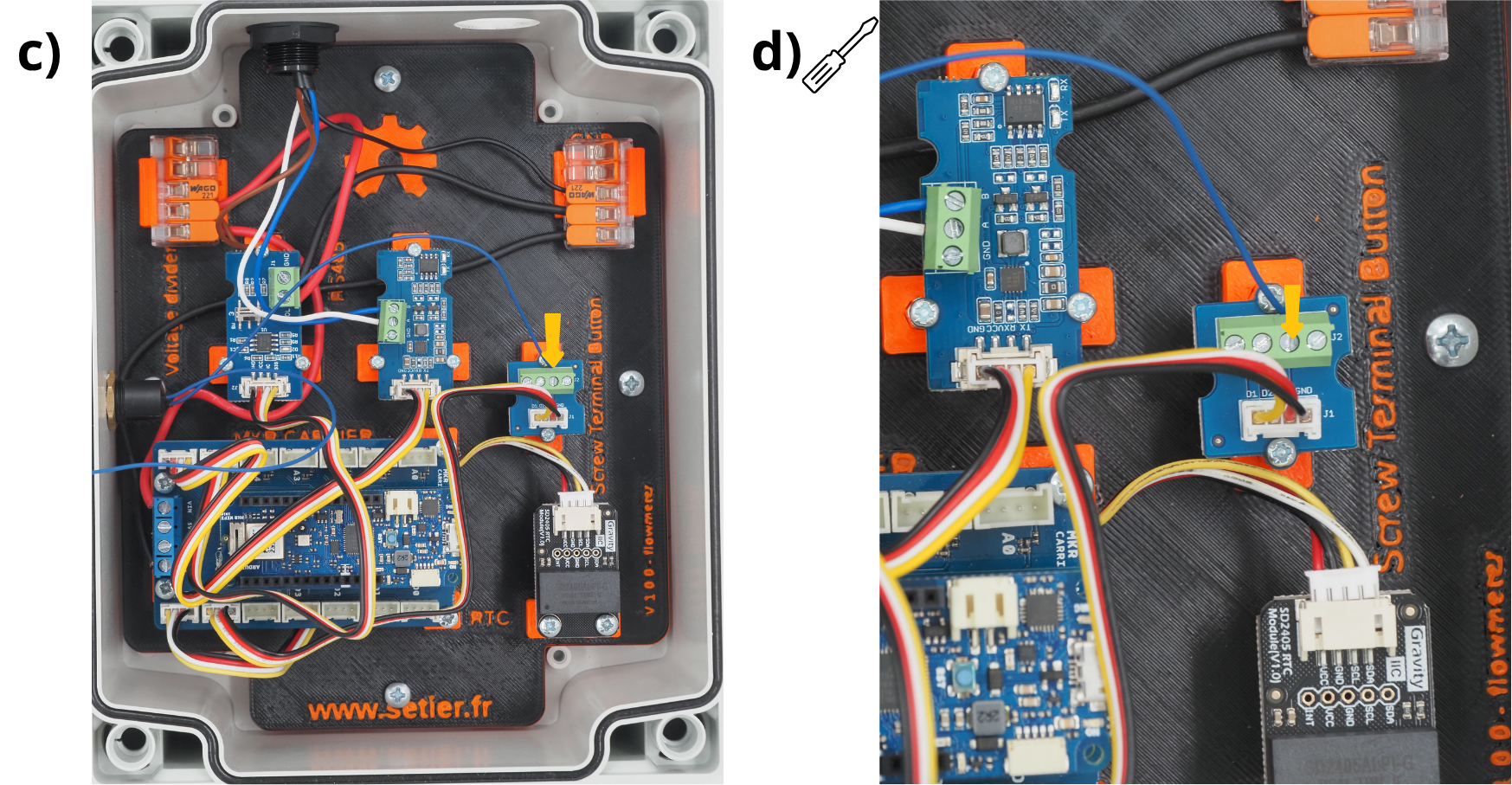
Prendre un des cable du bouton poussoir et l’insérer dans le port VCC du Module Grove Screw Terminal.
verouiller le câble en vissant à l’aide d’un tournevis plat.
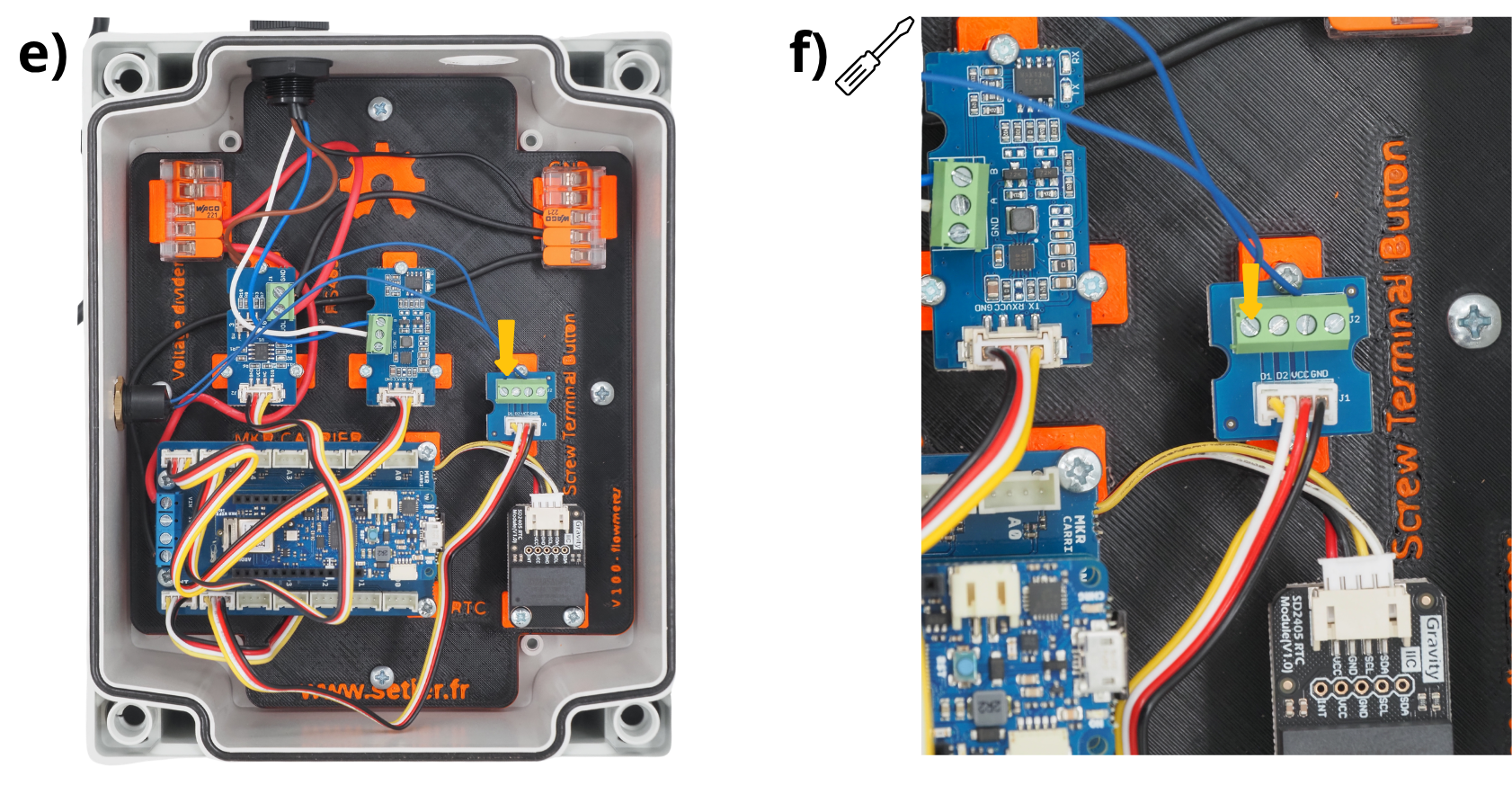
Prendre un des cable du bouton poussoir et l’insérer dans le port D1 du Module Grove Screw Terminal.
verouiller le câble en vissant à l’aide d’un tournevis plat.
13. Mise en place du connecteur d’alimentation#
Insérer le connecteur d’alimentation dans le trou prévu à cet effet, puis le fixer avec l’écrou et le joint fourni avec.
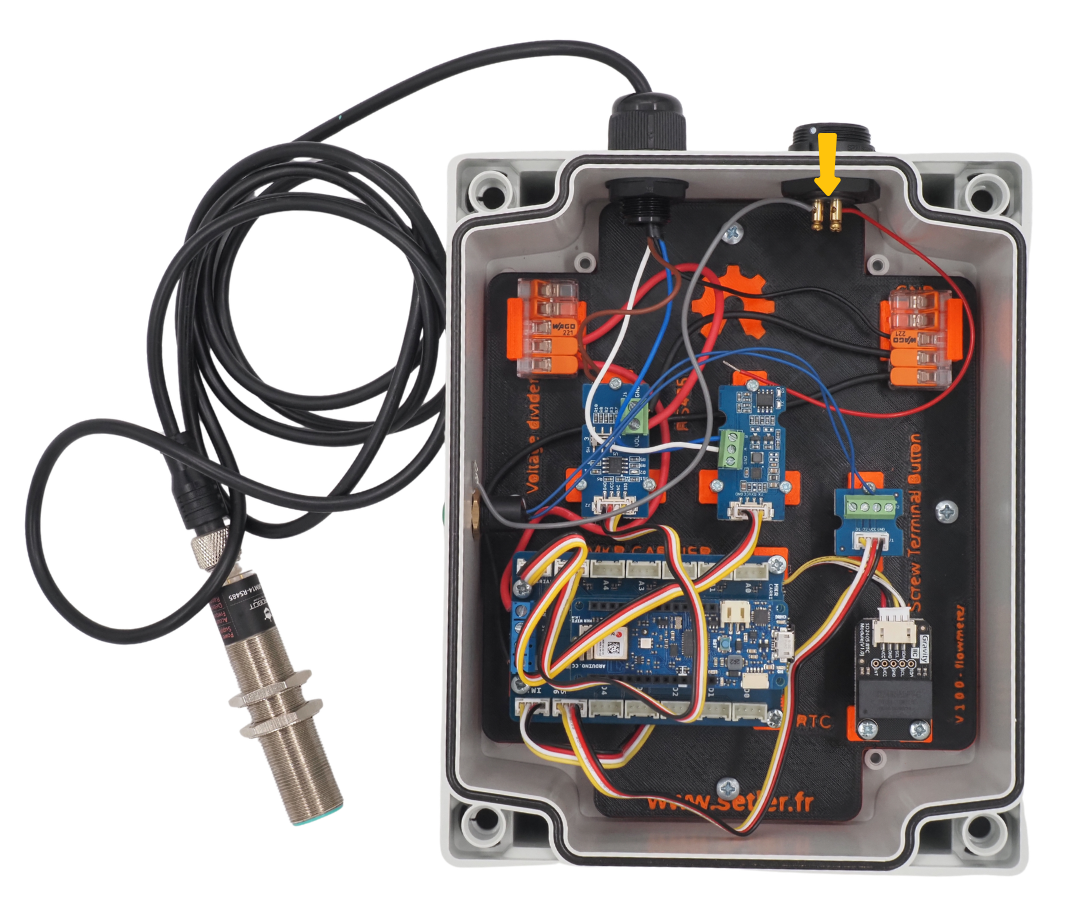
Prendre le câble noir en provencance du connecteur d’alimentation (ici le câble est gris).
Glisser l’éxtrémité du câble noir dans un des ports de la Borne de connexion WAGO placé sur le support GND.
Fermer cette prise de la Borne de connexion WAGO.
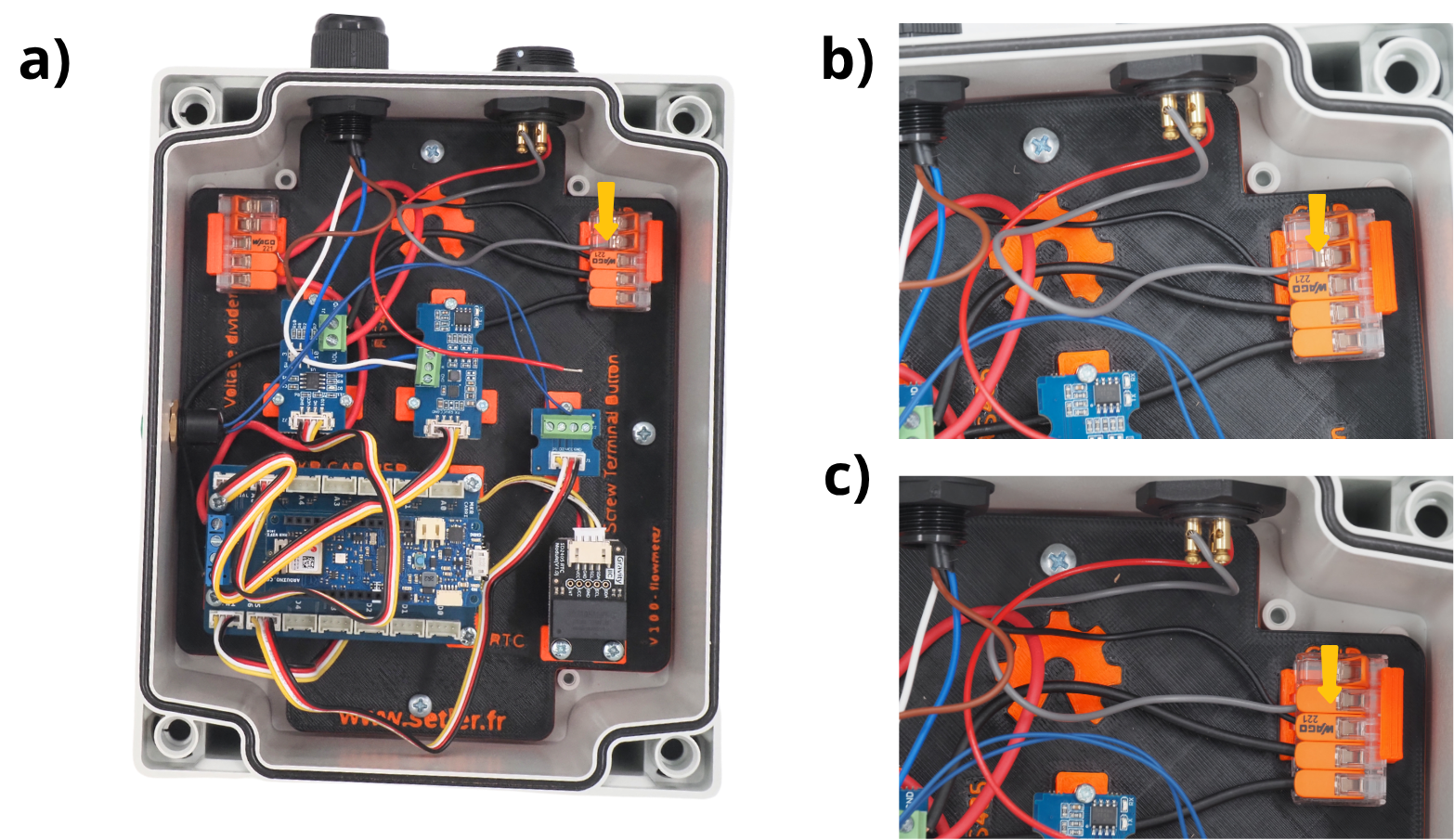
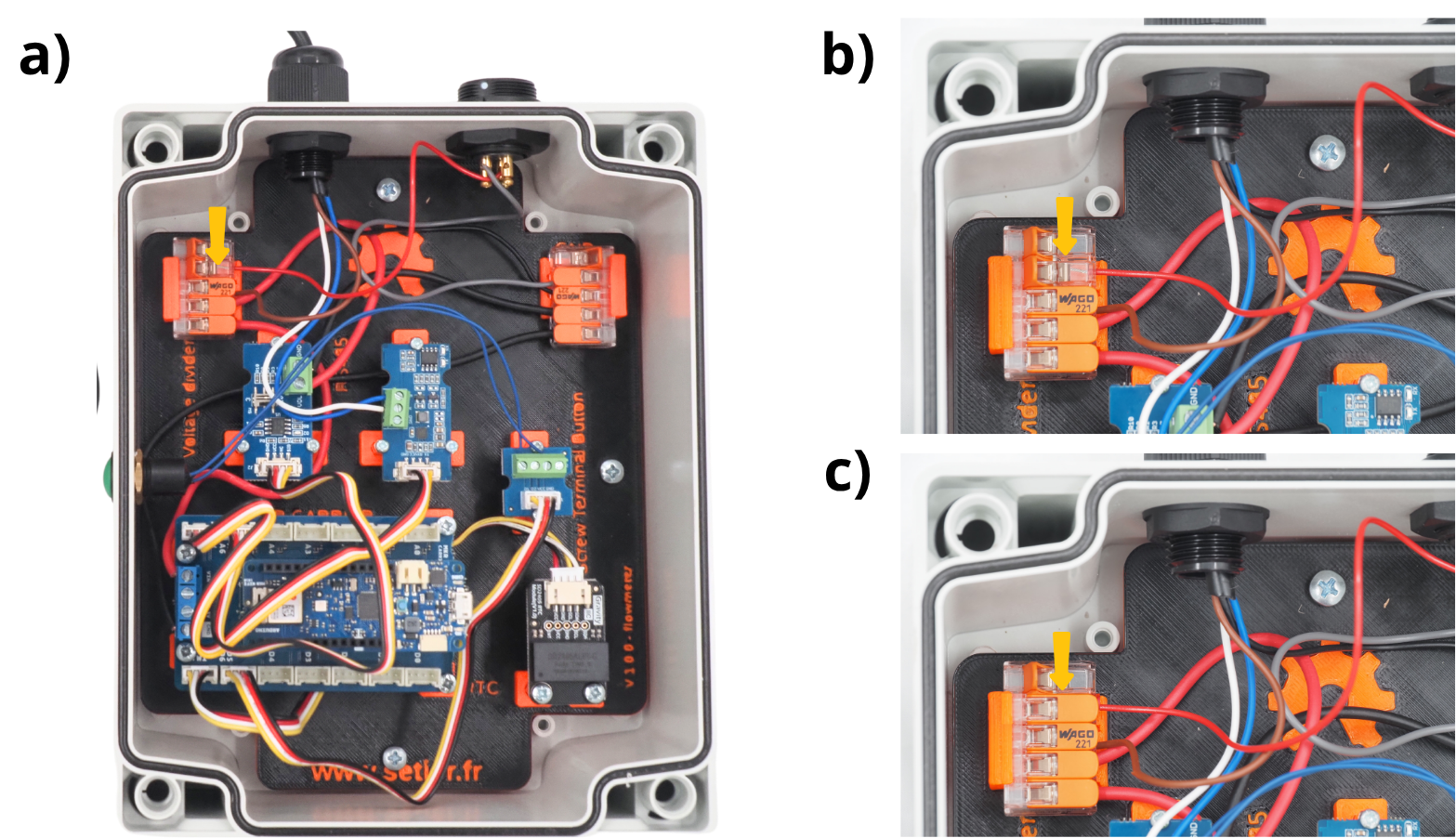
Prendre le câble rouge en provencance du connecteur d’alimentation (ici le câble est gris).
Glisser l’éxtrémité du câble rouge dans un des ports de la Borne de connexion WAGO placé sur le support VIN.
Fermer cette prise de la Borne de connexion WAGO.
14. Mise en service de la centrale débitmétrique#
Vous pouvez fermer le couvercle du boîtier. Votre centrale est prête a être utilisée.